12
Use one Battery Pack LP-E6 to power the transmitter. When replacing the transmitter’s battery,
be sure to first set the camera’s power switch to <
OFF
> before opening the transmitter’s battery
compartment cover. In particular, if the transmitter’s battery compartment cover is opened without
setting the camera’s power switch to <
OFF
> when an external media or a GPS device is connected,
the connection operation for the external media or GPS device will have to be performed again.
The
transmitter’s
battery is not included. Customers who do not have one should purchase it
separately.
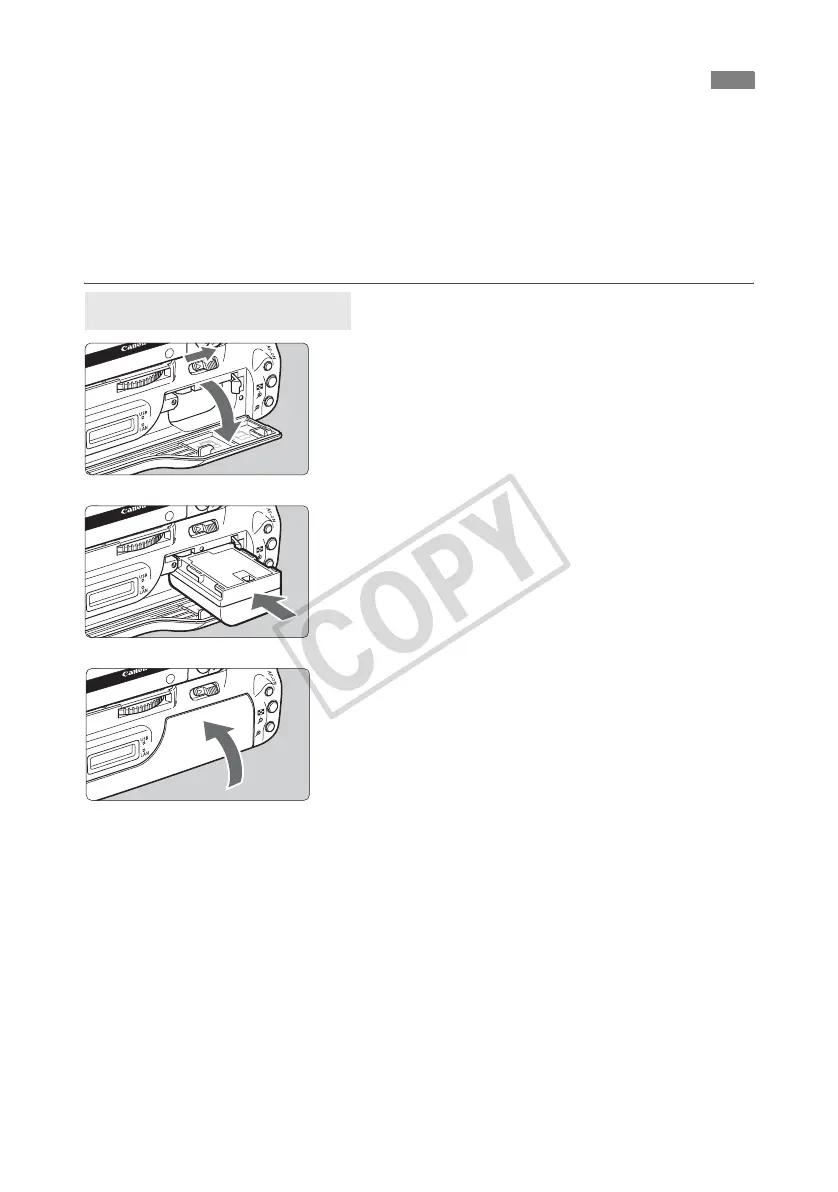
1
Open the cover.
Slide the lever to open the cover.
2
Insert the battery.
Insert from the side with battery contacts.
Insert the battery all the way until it locks into
place.
3
Close the cover.
Press the cover up until it clicks into place.
Installing and Removing the Battery
Installing the battery



 To Next Page