52
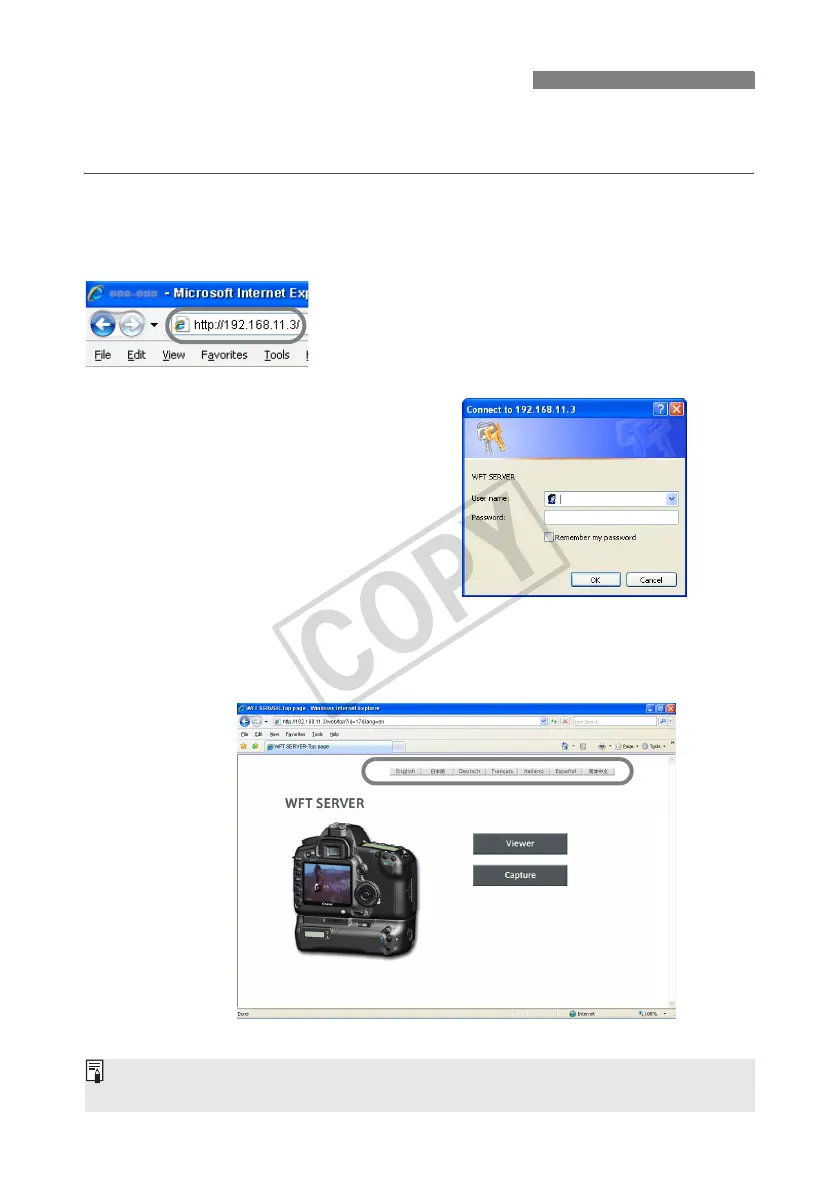
In the web browser, display WFT Server, a screen for transmitter operations.
Make sure you have already established a connection between the camera and computer.
1
Start the web browser.
First, start Internet Explorer or another web
browser.
2
Enter the URL.
In the address field, enter the IP address assigned
to the camera.
Press the <
Enter
> key.
X The account screen is displayed.
Enter the login name and password as specified in
the procedure on page 51. Click [OK] to display the
WFT Server screen.
Select the language.
Displaying WFT Server
If you don’t know the URL (IP address)
You can check the URL (IP address) by accessing [Confirm settings] in the menu (p.58).



 To Next Page