40
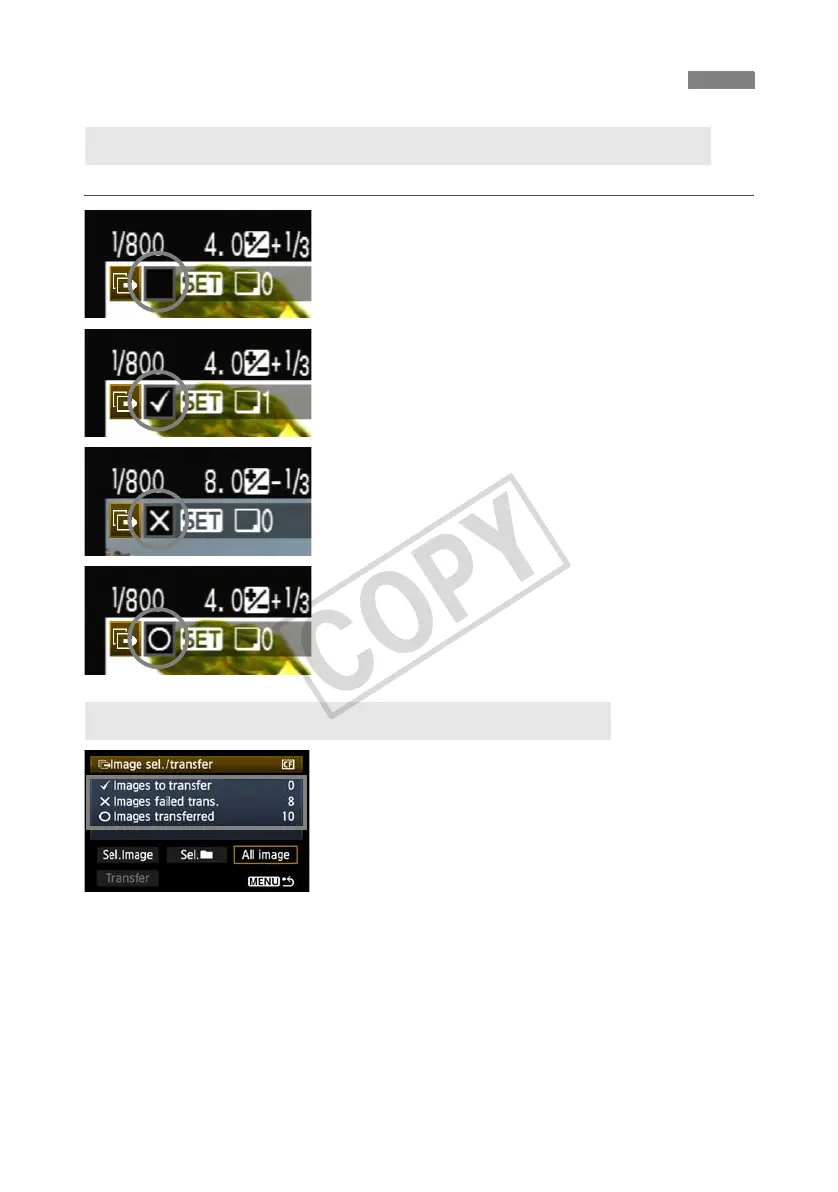
To check the transfer history, in [Image sel./transfer], select [Sel.Image].
Image not selected for transfer (no icon)
Image selected for transfer
Image could not be transferred
Image transferred
On the [Image sel./transfer] screen, you can check
the number of images for transfer as well as the
transfer history of images in the CF card. Specifically,
you can check the number of images classified as
[Images failed trans.] and [Images transferred].
Checking Image Transfer History
Checking the Transfer History of Individual Images
Checking the Transfer History of CF Cards



 To Next Page