39
Batch Transfer
2
FTP Settings and Image Transfer
1
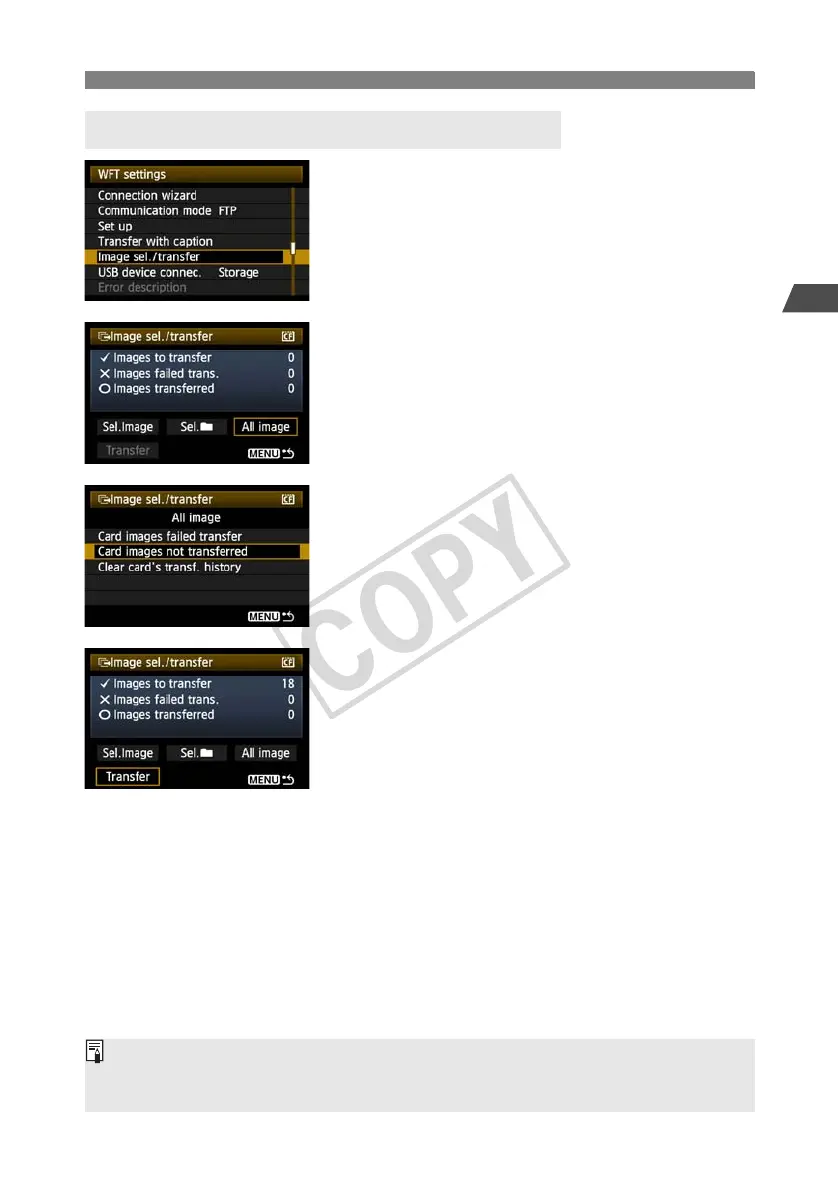
In [WFT settings], select [Image sel./
transfer].
2
Select [All image].
3
Select [Card images not transferred].
To transfer images that could not previously be
transferred, select [Card images failed transfer].
4
Transfer the images.
Select [Transfer].
Select [OK] on the confirmation screen displayed
next.
X A transfer progress screen is displayed.
During image transfer, the <
LAN
> lamp blinks.
Batch Transfer of Images on CF Cards
Selecting [Clear card’s transf. history] will set the transfer history of images on the CF card to
“unsent.” This enables you to resend all the images on the card later by selecting [Card images not
transferred].



 To Next Page