32
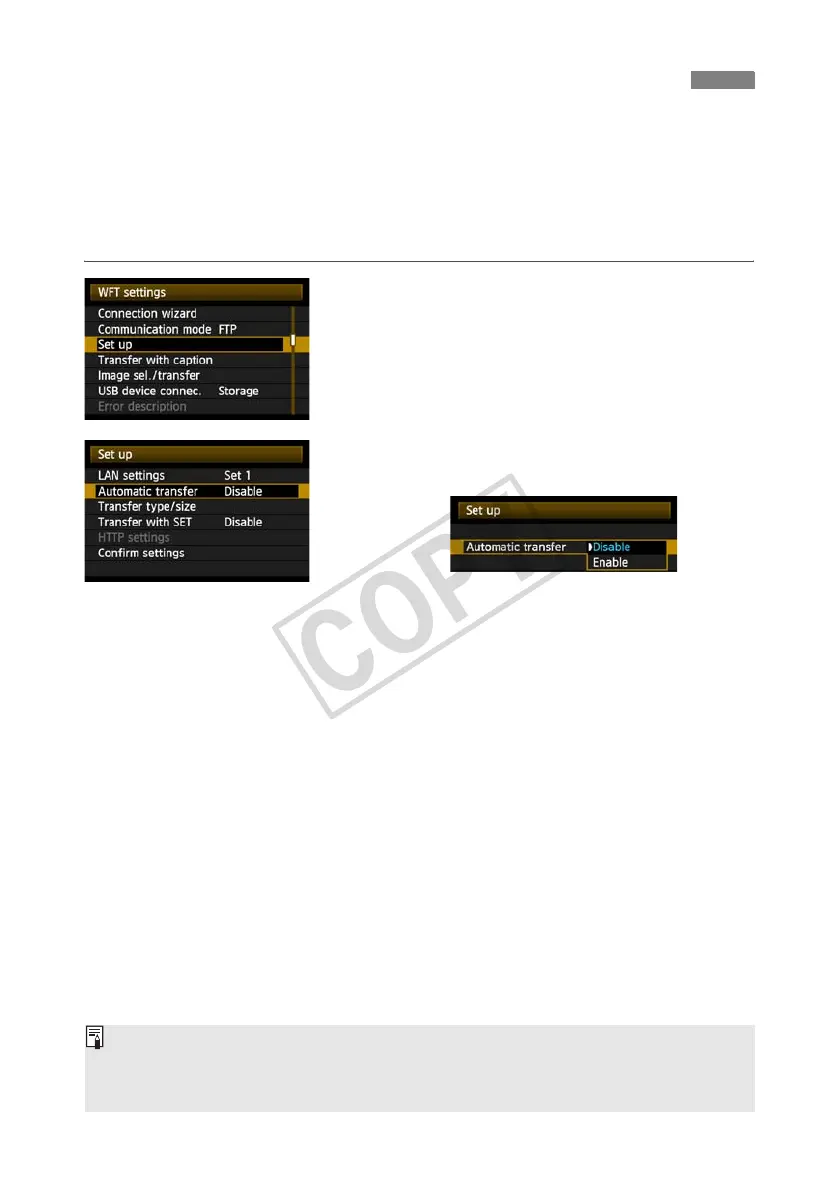
An image can be automatically transferred to the FTP server immediately after shooting. You
can also continue shooting even while images are being transferred.
Before shooting, be sure to insert a CF card in the camera or connect external media (p.63). If
you shoot without recording images, they cannot be transferred.
Note that automatic transfer of movie is not supported. Transfer the movie after shooting, as
described on pages 35-39.
1
In [WFT settings], select [Set up].
2
Select [Automatic transfer].
Select [Enable].
3
Take the picture.
X The captured image is transferred to the FTP
server.
During image transfer, the <
LAN
> lamp blinks.
Automatic Image Transfer After Each Shot
During continuous shooting, images are transferred to the FTP server in the order they are
captured.
The captured images are also stored on the CF card.
Any images for which transfer fails or is interrupted can transferred later together.



 To Next Page