50
These instructions are continued from Chapter 1.
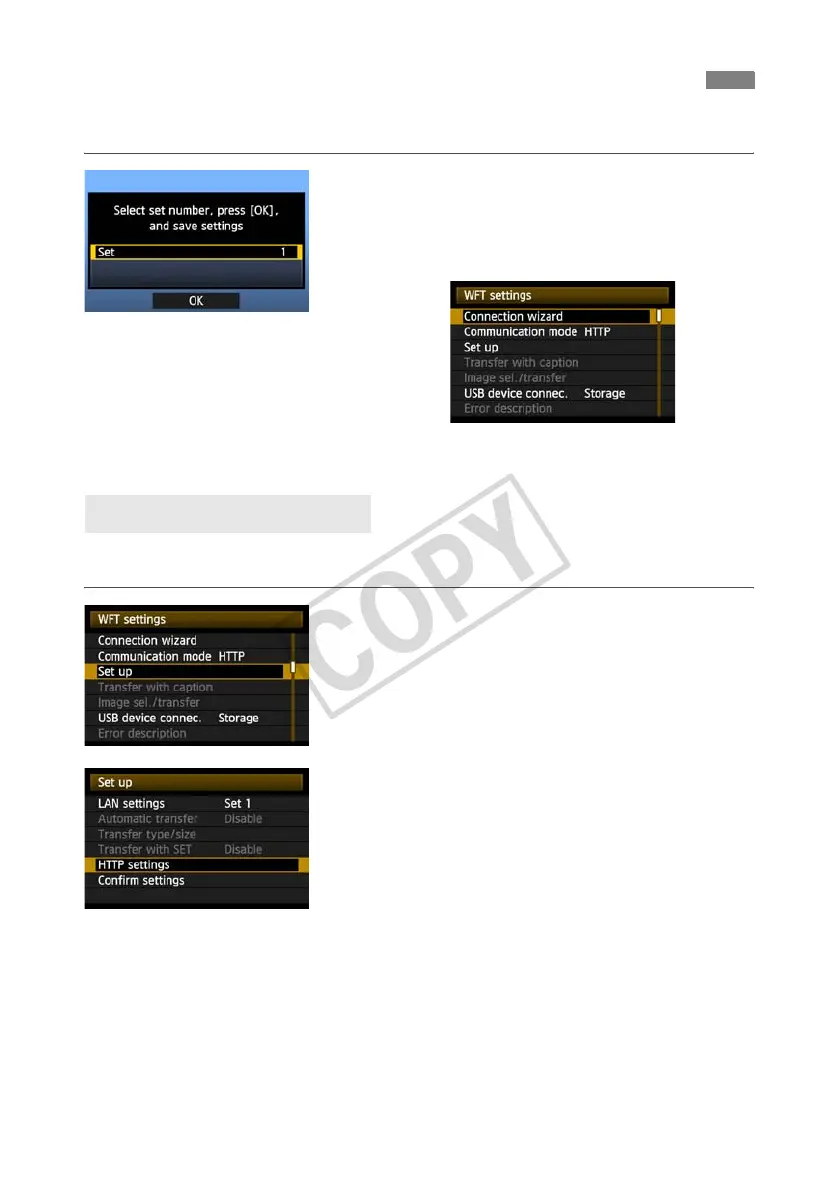
Press <0>. Turn the <5> dial to select the set
number, and then press <0>.
Press <0> again. After the connection wizard is
closed, the display reverts to the menu screen.
X The <
LAN
> lamp on the transmitter is lit in green.
Settings information is stored on the camera. It is
not stored on the transmitter.
Enter a logon name and password for accessing the camera from a computer. The logon name
and password you specify here are used on the computer when connecting to the camera.
1
Turn the <5> dial to select [Set up], and then
press <0>.
2
Turn the <5> dial to select [HTTP settings], and
then press <0>.
Configuring HTTP Transfer Settings
Setting up an Account



 To Next Page