51
Configuring HTTP Transfer Settings
4
HTTP Settings and Remote Capture
3
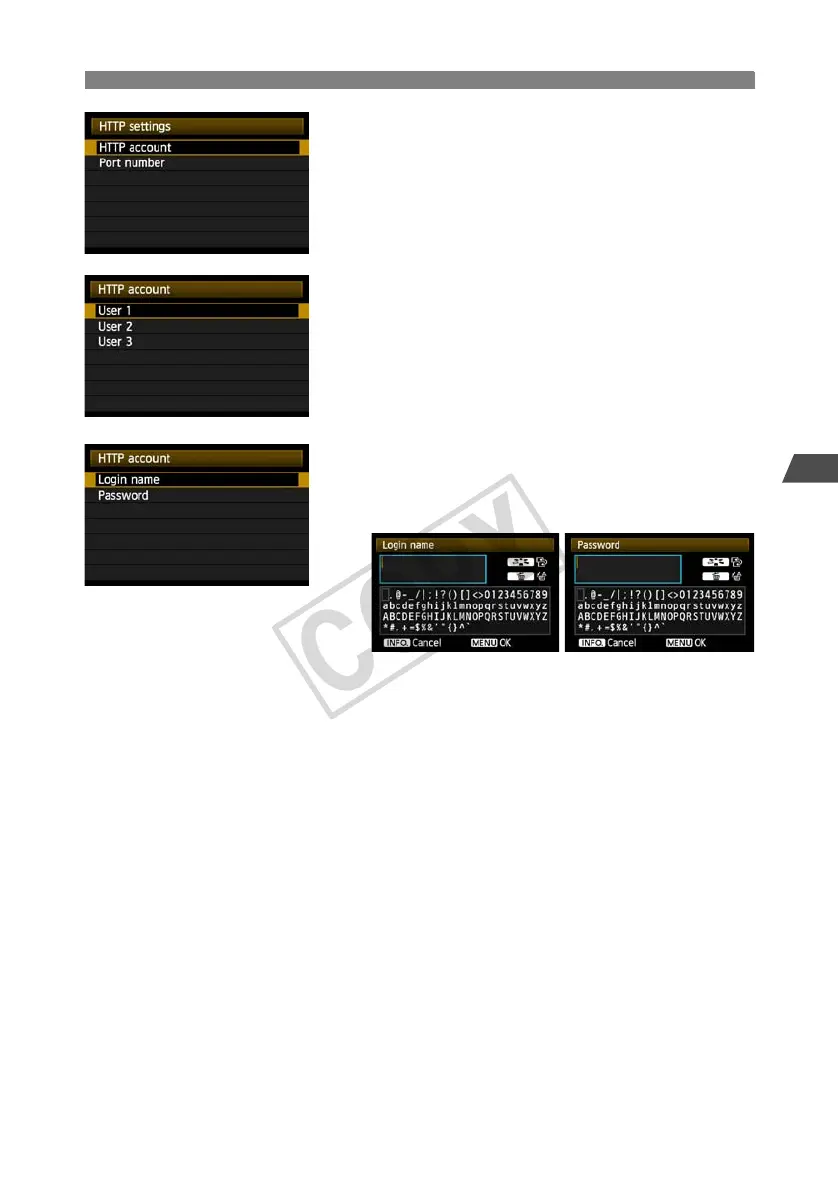
Turn the <5> dial to select [HTTP account], and
then press <0>.
When changing the port number, turn the <5>
dial to select [Port number] and press <0>. Note
that there is normally no need to change the port
number (80).
4
Select a user number.
The camera can be accessed via HTTP from up to
three computers. Here, select a user number to
prevent conflicts when users at other computers
are connected to the transmitter simultaneously.
Turn the <5> dial to select [User *], and then
press <0>.
5
After you select [Login name] and [Password],
the following input screen is displayed.
For instructions on input screen operations, refer
to “Virtual Keyboard Operation” (p.27).
The HTTP network settings are now complete.



 To Next Page