36
After shooting, you can select multiple images as desired and transfer them all at once. You
can also transfer unsent images or images that could not be sent previously.
If both a camera CF card and external media are used at the same time, images are transferred
from the source specified on the menu [5] tab, in [Recording func.+media select]
[Record/play].
You can also continue shooting even while images are being transferred.
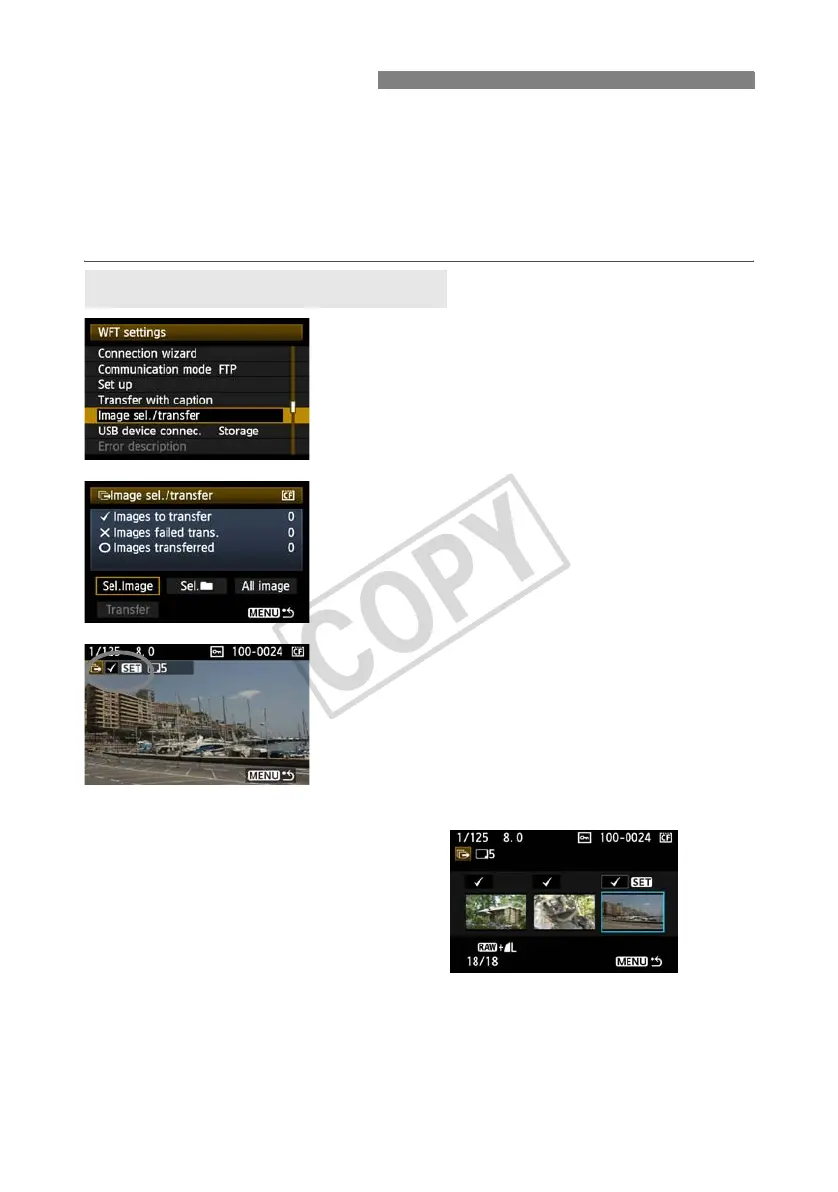
1
In [WFT settings], select [Image sel./
transfer].
2
Select [Sel.Image].
X An image is displayed.
3
Select images to transfer.
Press <0>. Turn the <5> dial to display <X> in
the upper left corner of the image to transfer.
Press <0> to confirm your selection.
You can select up to 9,999 images.
Press the <y> button to display three images per
screen. Press the <u> button to display one
image per screen again.
After selecting images to transfer, press the
<7> button.
Batch Transfer
Selecting Images to Transfer



 To Next Page