45
Configuring PTP Transfer Settings
3
PTP Settings and Remote Capture
3
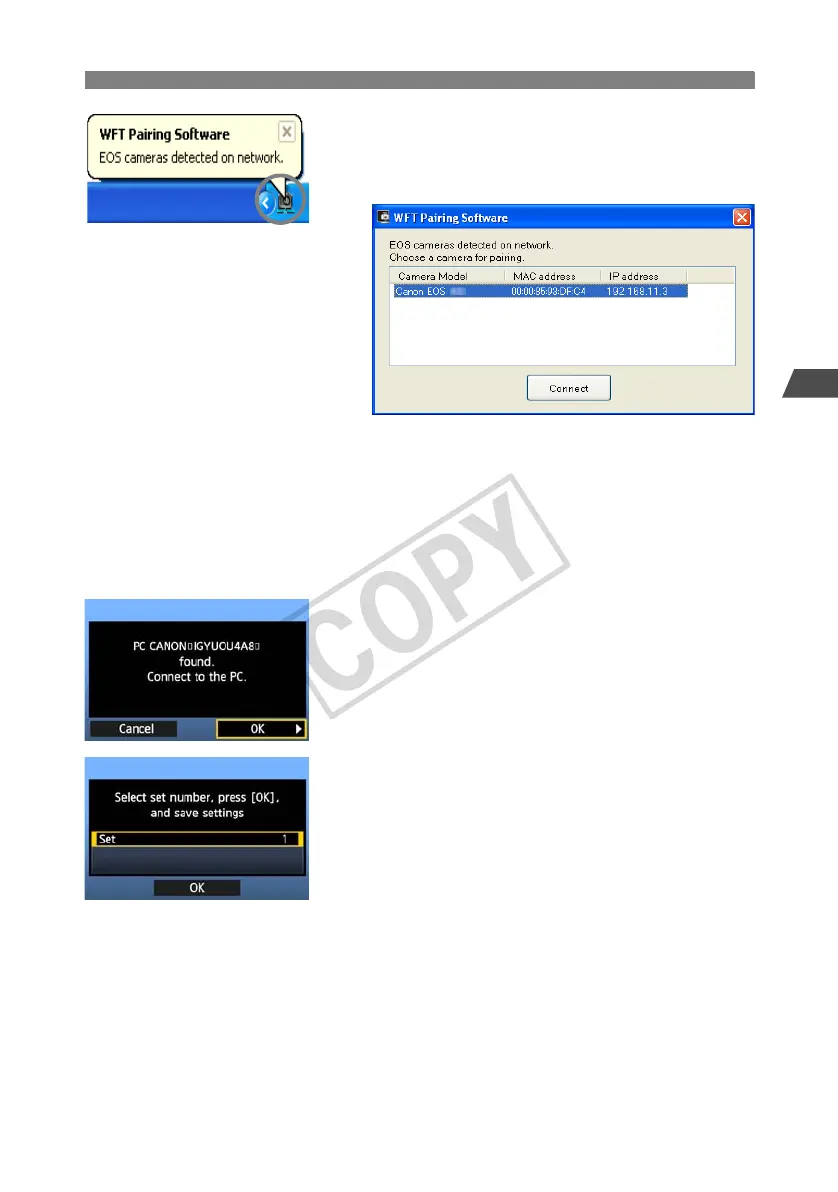
Double-click the pairing software icon.
X Detected cameras are listed. Cameras that have
already been connected are not included in the
list.
Click [Connect].
If multiple cameras are displayed, identify the
camera to connect to by its [MAC address] or [IP
address].
You can check the [MAC address] and [IP
address] by accessing [Confirm settings] in the
menu (p.58).
4
When the camera detects the computer on which
you clicked [Connect] in step 3, the message at
left is displayed.
Turn the <5> dial to select [OK], and then press
<0>.
5
Press <0>. Turn the <5> dial to select the set
number, and then press <0>.
After you turn the <5> dial to select [OK] and
press <0>, the connection wizard is closed and
EOS Utility starts up.
X The <
LAN
> lamp on the transmitter is lit in green.
Settings information is stored on the camera. It is
not stored on the transmitter.
The PTP network settings are now complete.



 To Next Page