65
Connecting External Media
6
Using External Media
5
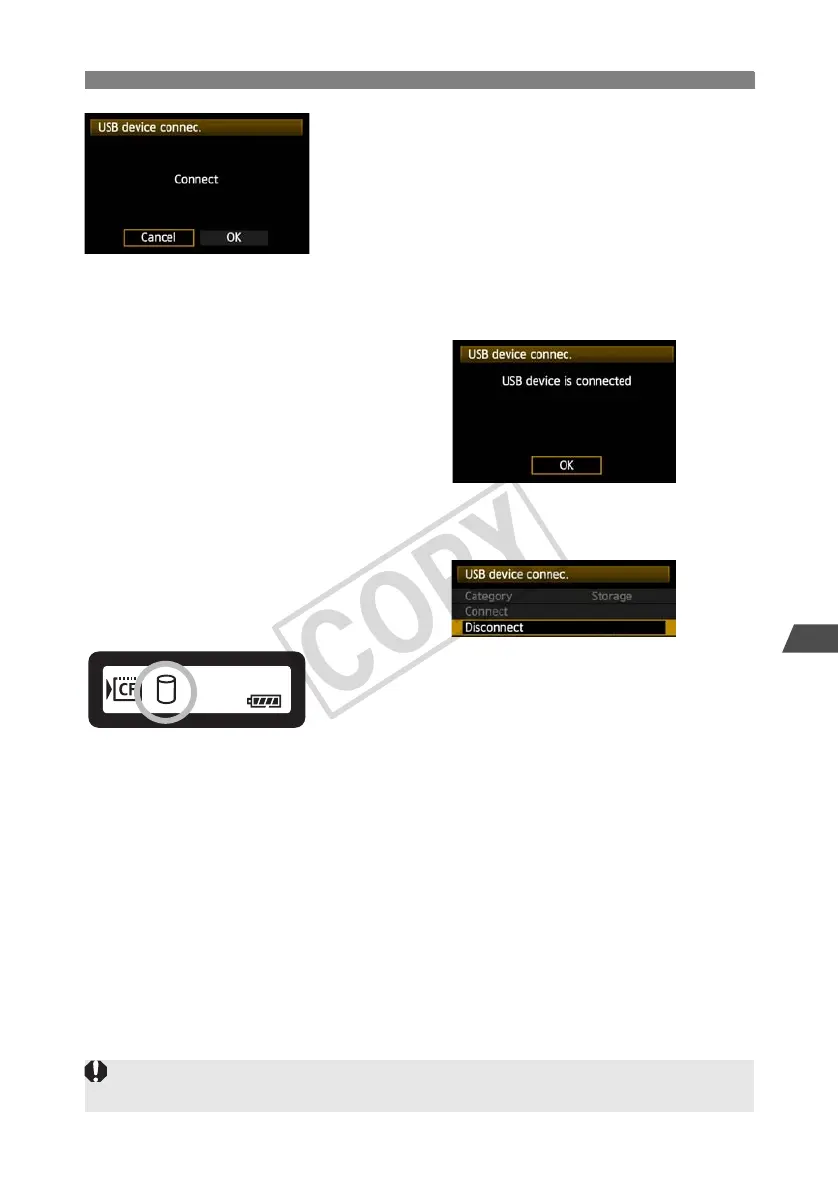
Select [OK].
Camera operations such as shooting, menu
display, or image playback are not possible
until the connection is established.
When the transmitter is connected to the external
media, the transmitter’s <
USB
> lamp is lit in green
and a message is displayed indicating that a
connection has been established.
When the confirmation message is displayed,
select [OK].
X At this point, the menu option [Disconnect]
becomes available. Select this option before
disconnecting the external media.
X After you exit the menu, the rear LCD panel
indicates that external media is connected.
External media cannot be formatted using the camera. Format it with a FAT16 or FAT32 file system
using the computer.



 To Next Page