9
Nomenclature
Introduction
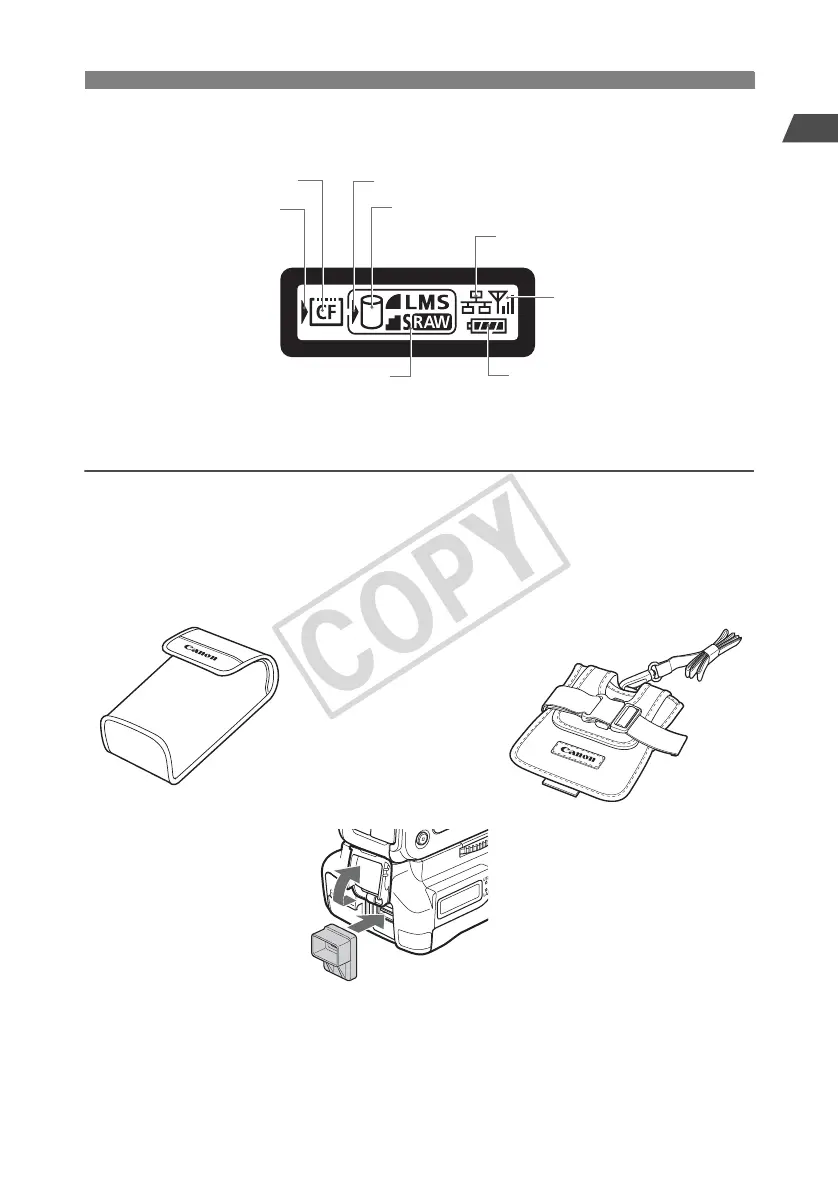
Recording quality at [Rec. separately] setting
External media selection mark
External media connection indicator
Wired LAN connection
Wireless LAN connection
Battery level indicator
CF card loading indicator
CF card selection mark
LCD panel
Transmitter Case
Waterproof/Dustproof USB Cap*
2
*1: This can hold portable hard disks and other devices up to 120 x 75 x 15 mm / 4.72 x 2.95 x 0.59 in. in size.
*2: Attach this cap before connecting the USB cable in rainy weather or under other adverse conditions.
Accessories
External Media Case*
1



 To Next Page