10 | Page
Carlson RT4 User Manual
The rst me the tablet is powered on, Windows setup opons are shown.
Follow the prompts to set up your unit as desired.
A hand strap, ne p capacive stylus, and tether are included with the
RT4.
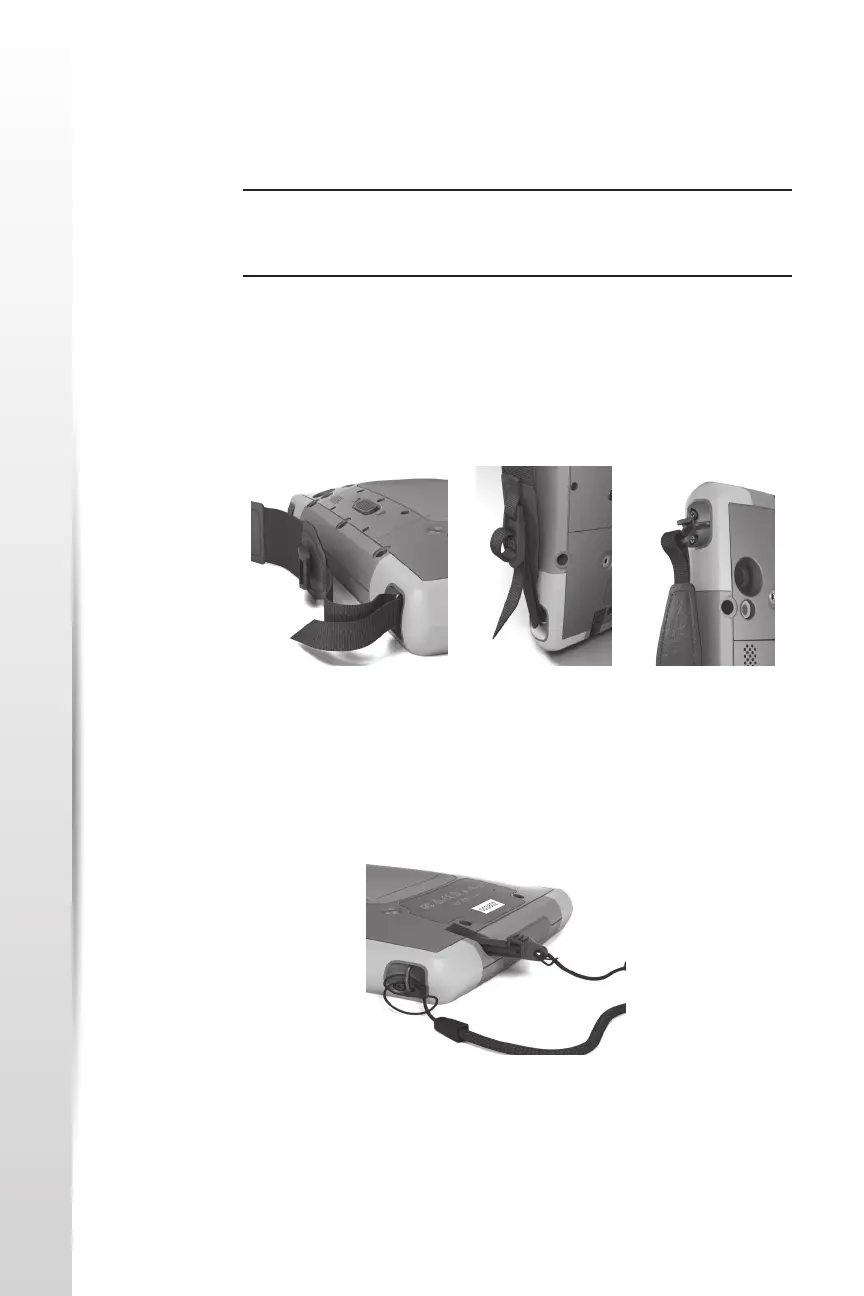
Hand Strap
To aach the hand strap to the RT4, follow the images below. You can
aach it to the right or le side of the tablet:
Stylus Tether
1. Aach one end of the stylus tether to the stylus.
2. Push the free tether loop through one of the tether aachment points
located on the side of any of the four corners of the RT4.
3. Insert the stylus with the aached tether through this loop and ghten
the loop.
4. Place the stylus into the stylus storage slot located on the boom of
the RT4.
Perform Set Up
Aach the Hand
Strap and Stylus
Tether
Starng with RT4
1 2 3



 To Next Page