36 | Page
Carlson RT4 User Manual
The distance required between the tag and RT4 varies depending on the
tag. This is not a long range reader, so you may need to be as close as a few
inches and may be as far as 3 feet from the tag.
Antenna for RFID Reader
The antenna is a circularly polarized antenna. This has reduced range, but
allows the RT4 to be held in any orientaon (linear antennas can have
longer range if held in the right orientaon).
For the EU and Australia: When the RFID is in use, cellular is disabled. If
you have a cellular connecon and you hit the scan buon for RFID, the
cellular connecon will disappear for 10-20 seconds.
RS-232 Port
An RS-232 9-Pin D-Sub connector is an opon for the RT4. Depending on
the factory conguraon, it will provide either 5 VDC or 12 VDC on pin 9.
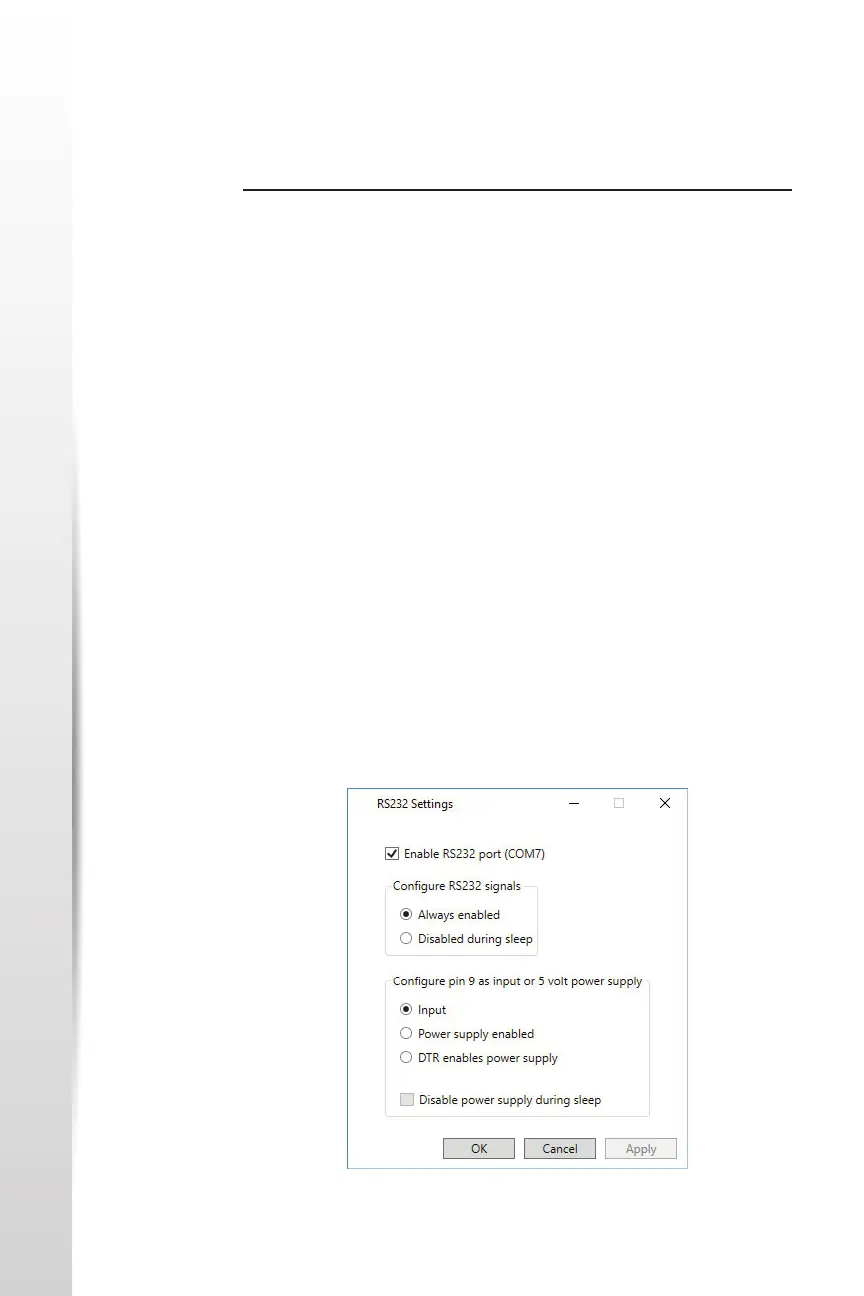
There is a RS-232 Control Panel to congure the behavior of the RS-232
port. There is a link to it on the desktop.
When you open the RS-232 Control Panel, the default conguraon is
shown:
RS-232 Port



 To Next Page