8 | Page
Carlson RT4 User Manual
When you receive your RT4, perform the tasks outlined in this secon
before rst use.
This owner’s manual and other documents like release notes are available
on our website at: www.junipersys.com/support/mesa-3/documentaon.
View, download, and print documents as desired, either on the RT4 or
another computer with an internet connecon. A PDF viewer is included
with your RT4 apps.
The RT4 comes with a rechargeable and removable Li-Ion baery pack.
Install and charge the baery pack as follows:
1. The baery compartment is accessed from the back of the tablet. Push
the baery lock switch in, slide it to the unlocked posion, and remove
the door.
CAUTION: The RT4 is not sealed against water and dust when the baery
door is not installed.
2. If you are using a micro SD card for addional memory or a micro SIM
card with the Cellular Data Modem (oponal), you can install them
now before you install the baery pack or at another me. If you do
this, make sure you replace the exible card retainer before installaon
of the baery. See Chapter 2, SD Cards or Chapter 3, Install the SIM
Card for details.
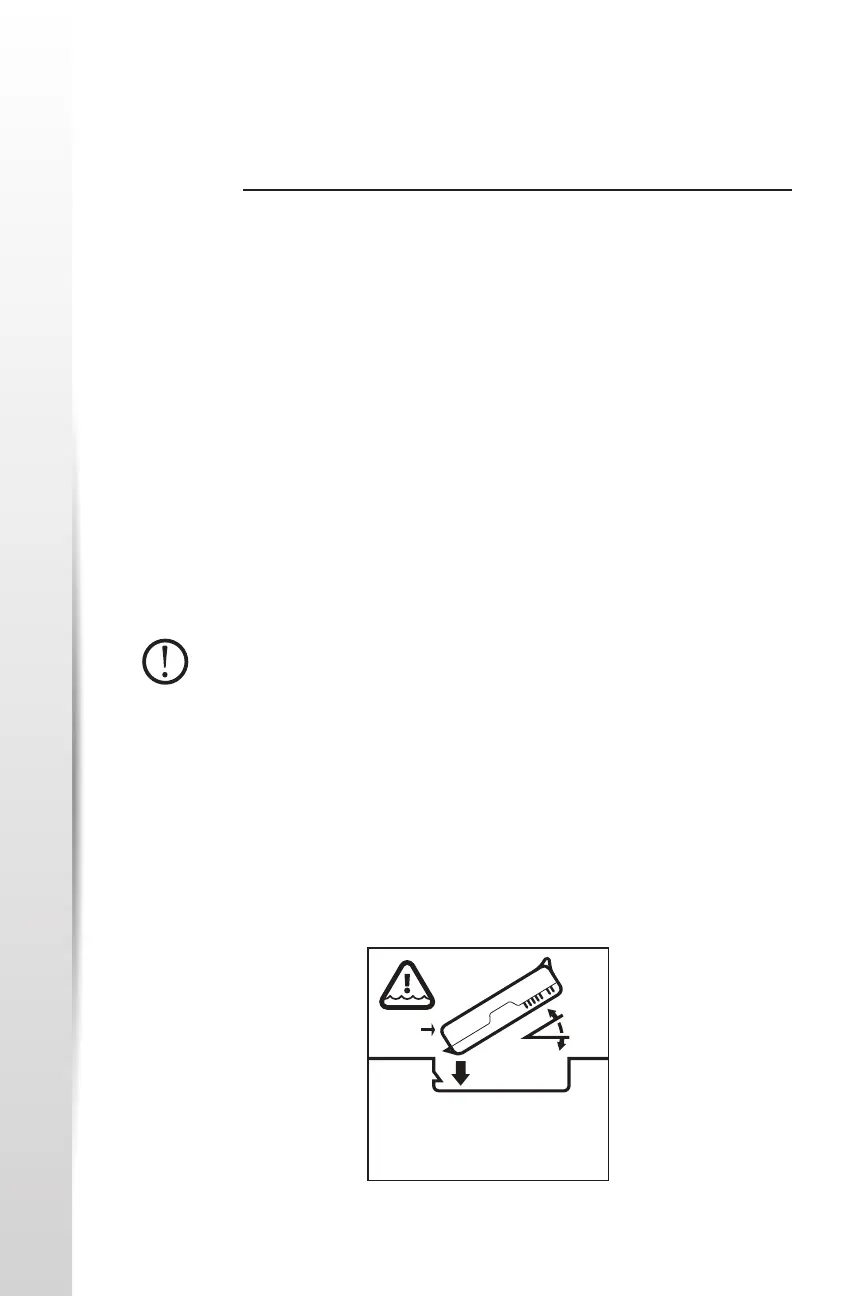
3. Follow the graphic on the baery label to insert the baery pack
properly.
Perform Inial
Tasks
Review
Documentaon
Install and Charge
the Baery Pack
Starng with RT4
TO ENSURE DOOR SEAL, INSERT SIDE (A)
FIRST!PARA VEDAR A PORTA, INSIRA O LADO
(A) PRIMEIRO!PARA SELLAR LA PUERTA,
INSERTE PRIMERO LADO (A)ERST SEITE (A)
EINLEGEN – SICHERT TÜRDICHTUNG!P/ VEDAR
A PORTA, INSIRA O LADO (A) PRIMEIRO
(A)



 To Next Page