6540 Series Operations Manual Rev_I 1/12/2016 15
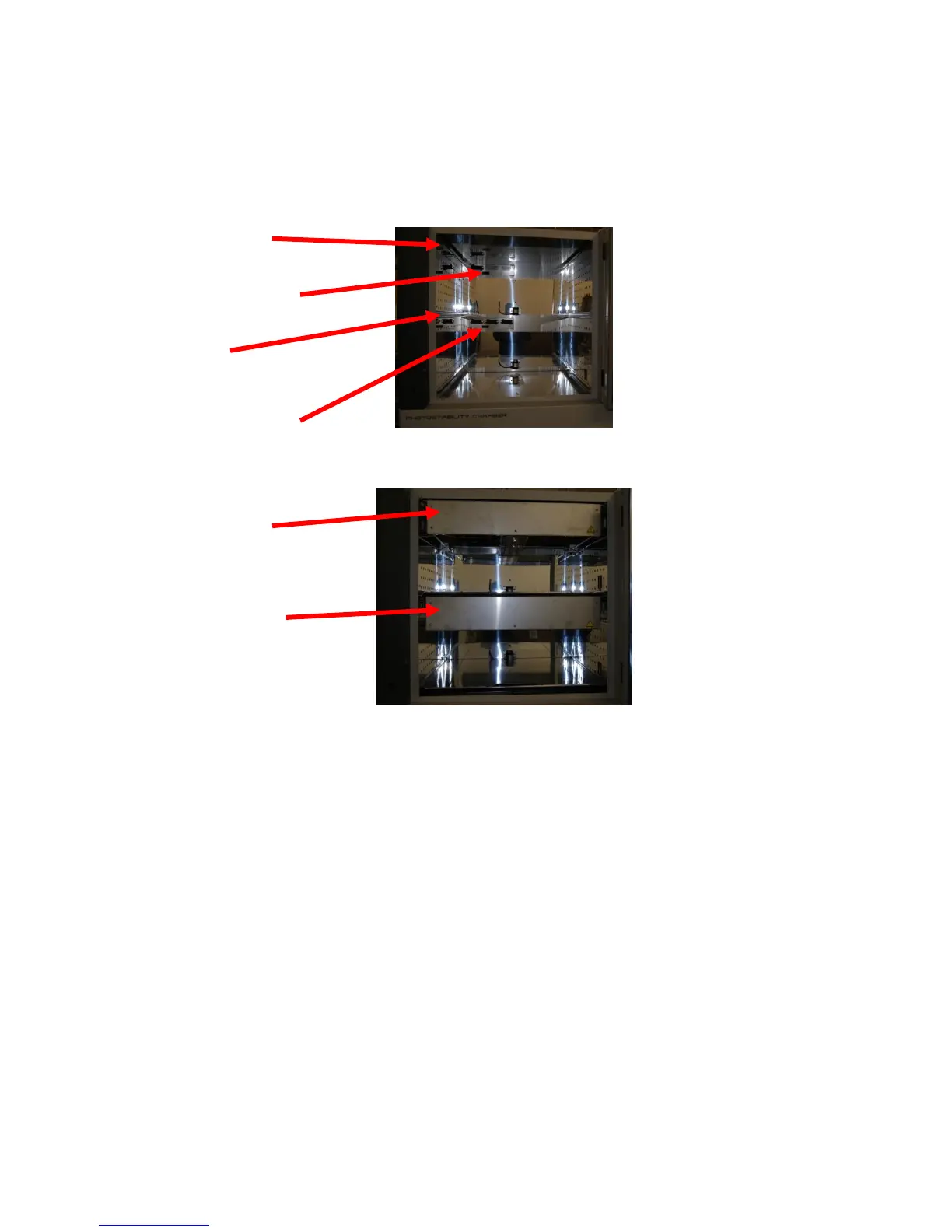
Install Lamps and Lamp Banks (Chamber must be off while installing light banks!!)
1. Locate the top lamp bank with 6 lamp holders (the bottom bank will have 10 or 14 lamp holders).
2. Turn the top lamp bank upside down and insert ‘black’ lamps into light bank by installing bi-pin
lamps into lamp holders and rotate a ¼ turn.
3. Locate the top lamp bank track.
4. With the black connector going in first, slide the top light bank into the chamber.
5. Press light bank firmly into place to seat rear connector.
6. Locate the bottom lamp bank with 10 (models 6540-1 or 6545-1) or 14 (models 6540-2, 6540-3,
6545-2 or 6545-3) lamp holders.
7. Insert ‘white’ lamps into light bank
6540-1/6545-1: Press one end of lamp into ‘plunger’ lamp holder. Press the other lamp
end into ‘fixed’ lamp holder. Repeat for other 9 lamps.
6540-2, -3/6545-2, -3: Install bi-pin lamp into lamp holders and rotate a ¼ turn. Repeat for
other 13 lamps.
Top light bank
mating connector
Bottom light bank
mating connector(s)
Install bottom
light bank



 To Next Page