6540 Series Operations Manual Rev_I 1/12/2016 34
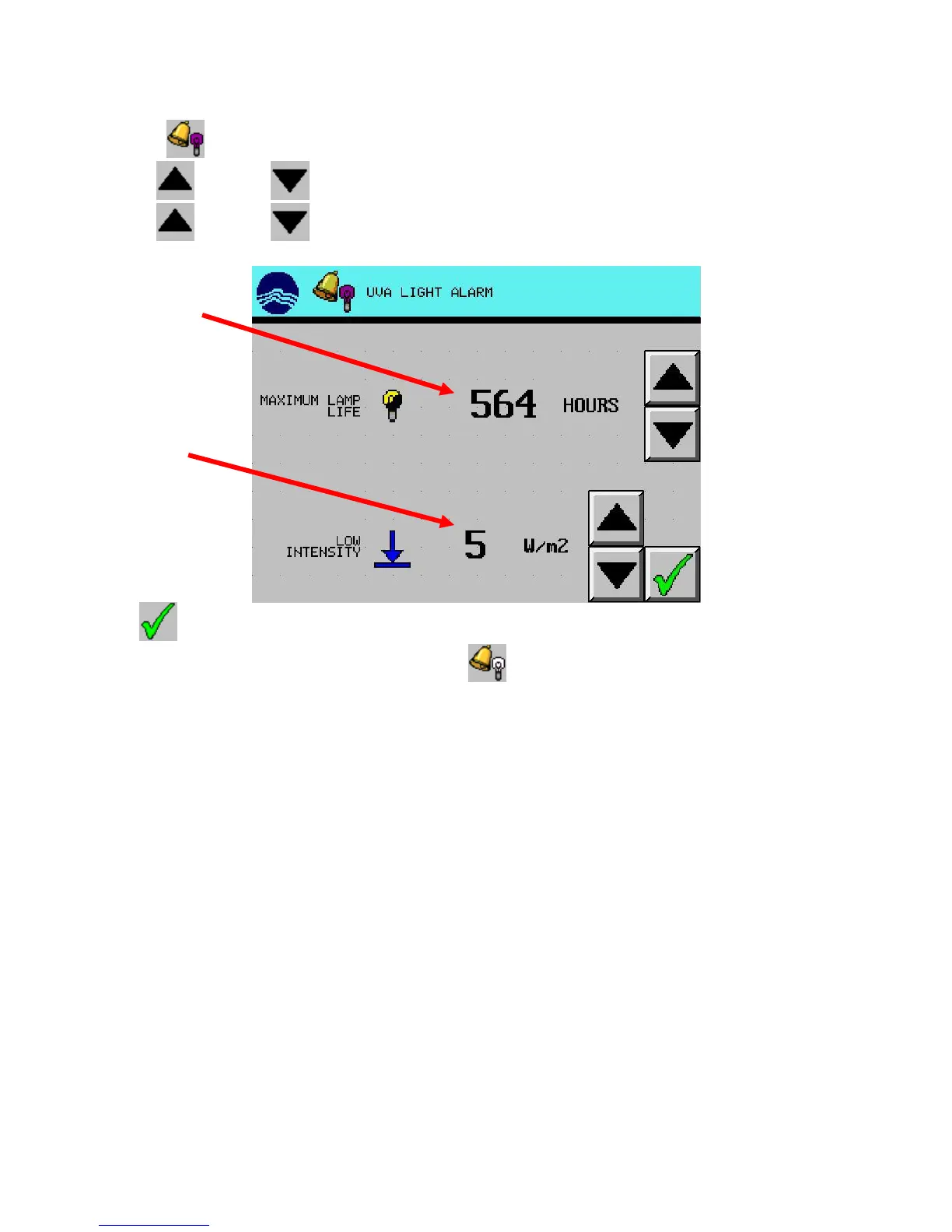
Set Light Alarms
1. Press the (UVA ALARM) button from the alarm screen.
2. Use the (UP) and (DOWN) arrow buttons to set the maximum lamp life hours.
3. Use the (UP) and (DOWN) arrow buttons to set the low intensity alarm.
4. Press (EXIT) button to return to the alarm screen.
5. Repeat steps 1-4 for the VIS light by pressing the (VIS ALARM) button.
after lamps have
been on for this
sound if light
intensity falls
below this level



 To Next Page