24
Remove the TARE and
object
from platform and then
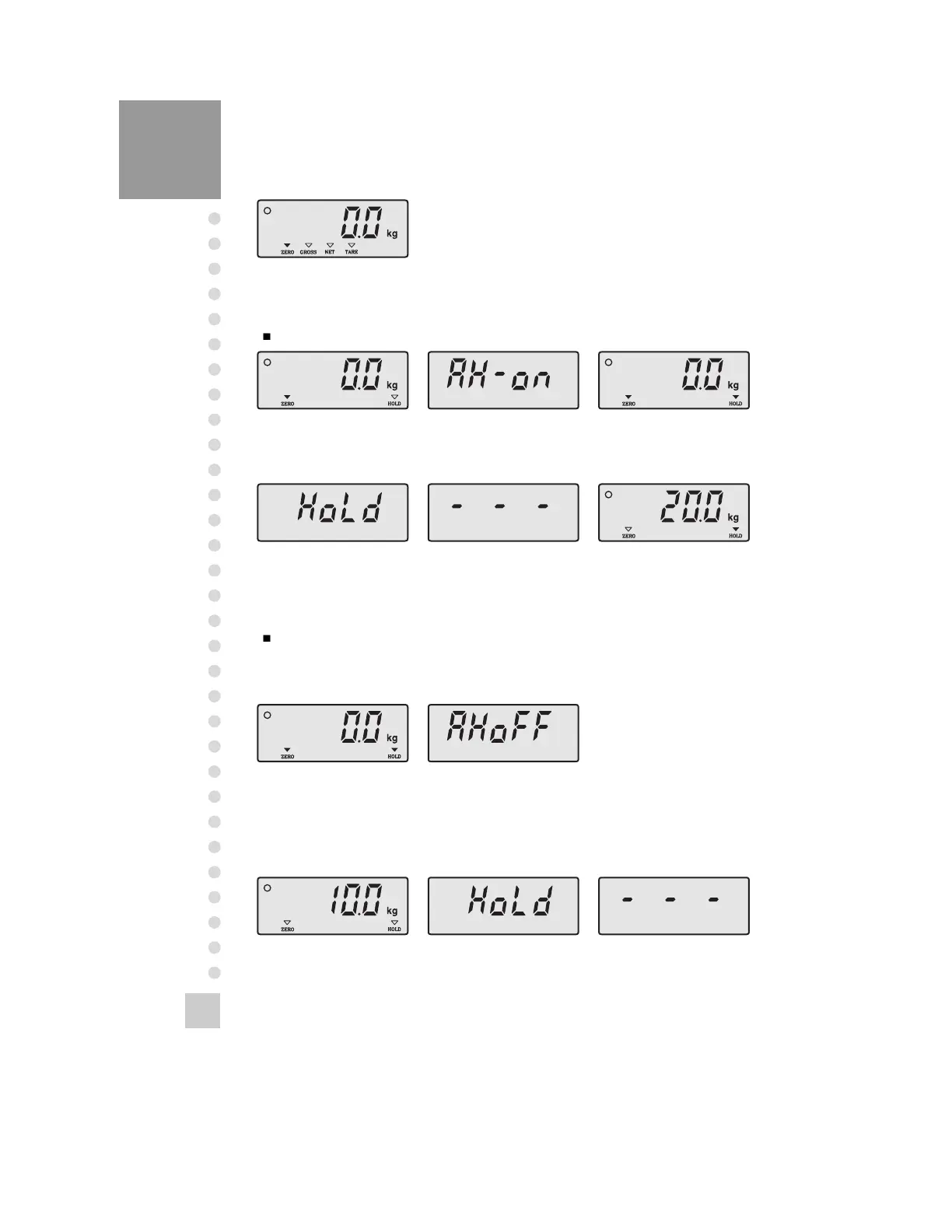
3. Hold Function(Use in weighing the moving object.)
Auto hold function(Hold function operates whenever it is weighed)
Empty the platform to release the hold key, and it is performed the normal
operation.
Auto hold function release(It is executed at emptying the platform)
Empty the platform. Press ‘HOLD’ key.
‘AH-ON’ message is
displayed
Empty the platform. Press ‘HOLD’ key.
After showing ‘AHOFF’
message
for 1 sec, it is normally
The Hold lamp is ON.
Put the object(10kg) on Press ‘HOLD’ key.
‘Hold’ message is
displayed for
The weight is averaged
for
When the weight change
is
stable after putting the
object(20kg) on
The weight is averaged The hold weight is
Manual hold function(It is executed at pressing ‘HOLD’ key)



 To Next Page