36
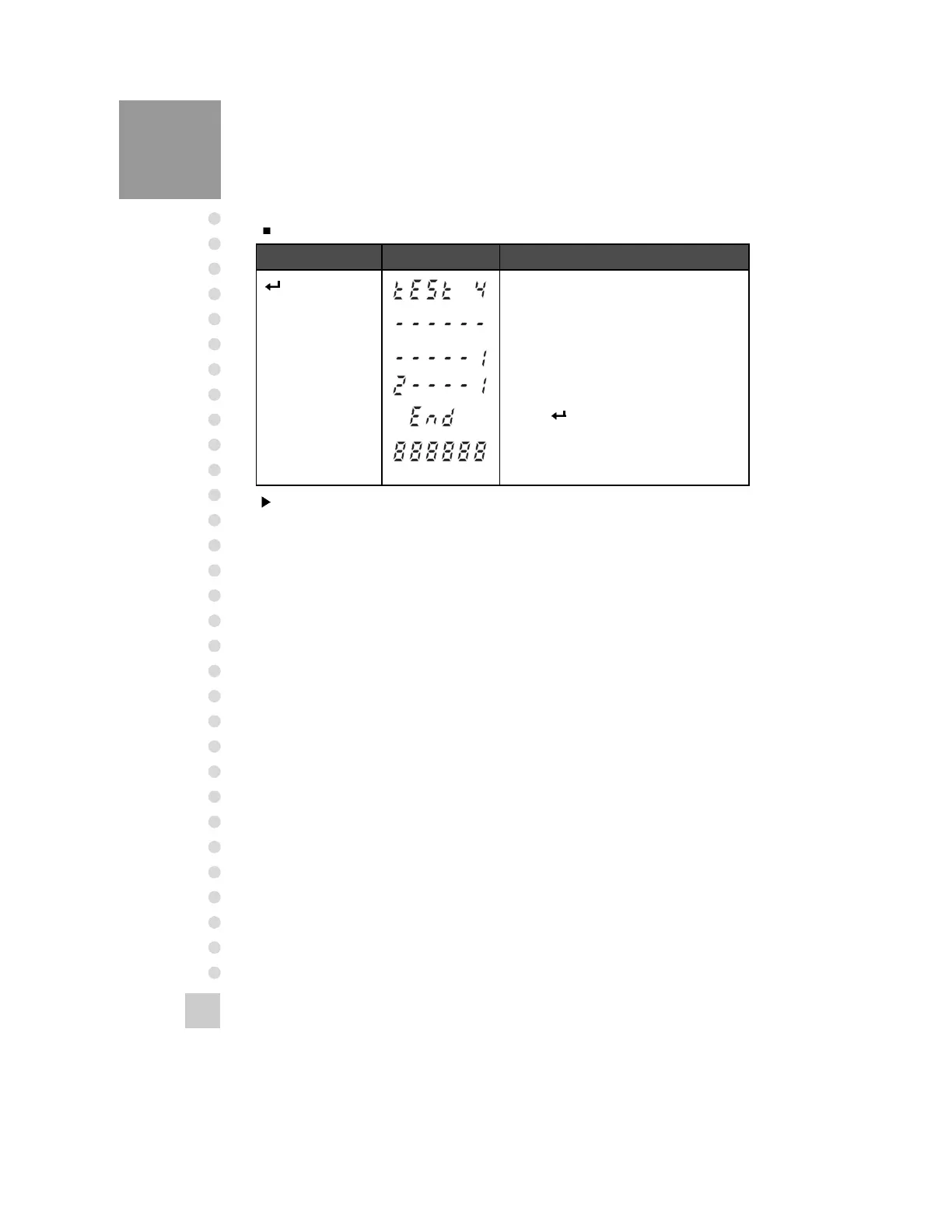
TEST 4
Function: RS-232C Test with Computer(Serial Port)
Key Display Description
Key :
Move to the next
menu
Others Key :
Execute data
transmission to a
computer.
TEST 4 condition.
Waiting for transmission and reception.
Received : none, Transmitted : 1
Received : 2, Transmitted : 1
Press
When this test is completed, it is
automatically moved to NORMAL MODE.
Note 1. Do this test after the connection of serial port of computer and serial port of
indicator is done.
Note 2. Send No. 2 in computer keyboard and check if indicator receives No.2
Send No. 1 in indicator keyboard and check if computer receives No.1
Note 3. Do this test after baud rate is specified in SET MODE(F10).



 To Next Page