APPENDIX
253
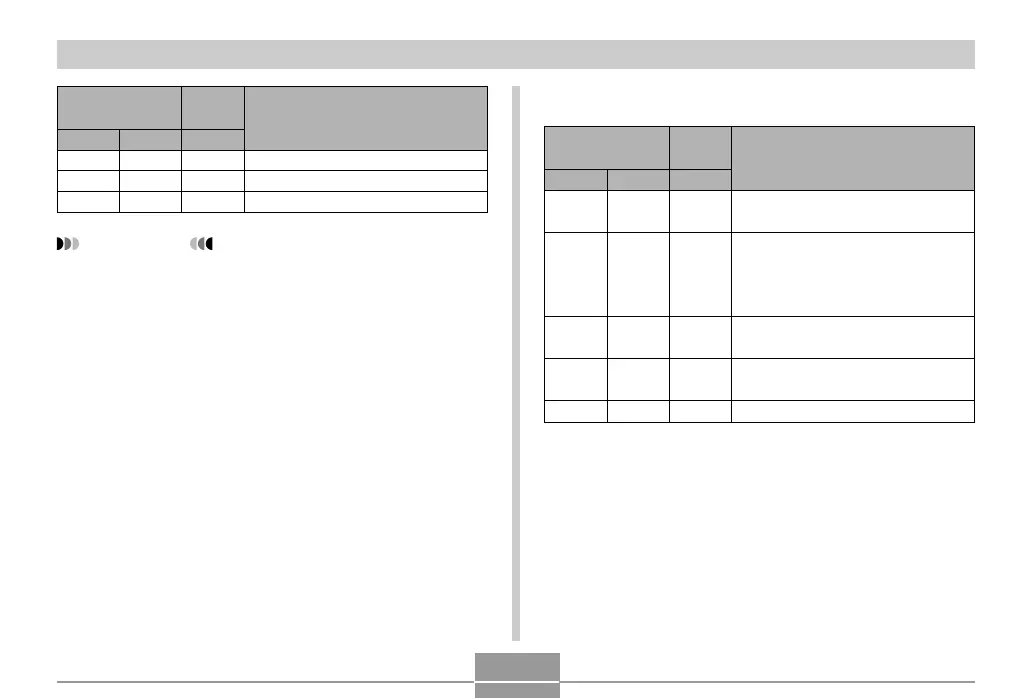
Operation Lamp
Self-timer
Lamp
Green Red Red
Meaning
Pattern 3
Pattern 3
Pattern 3
Low battery alert
Formatting card
Powering down
IMPORTANT!
• When you are using a memory card, never remove
the card from the camera while the green operation
lamp is flashing. Doing so will cause recorded
images to be lost.
PLAY mode
Operation Lamp
Self-timer
Lamp
Green
Lit
Pattern 3
Red
Pattern 2
Lit
Pattern 3
Red
Operational (Power on, recording
enabled)
One of the following operations is
being performed: delete, DPOF,
image protect, copy, album creation,
format, power down
Memory card problem / Memory
card is unformatted.
Memory card is locked. / Cannot
create folder. / Memory is full.
Low battery alert
Meaning



 To Next Page
 Loading...