Chapter 8: Geometry Application 159
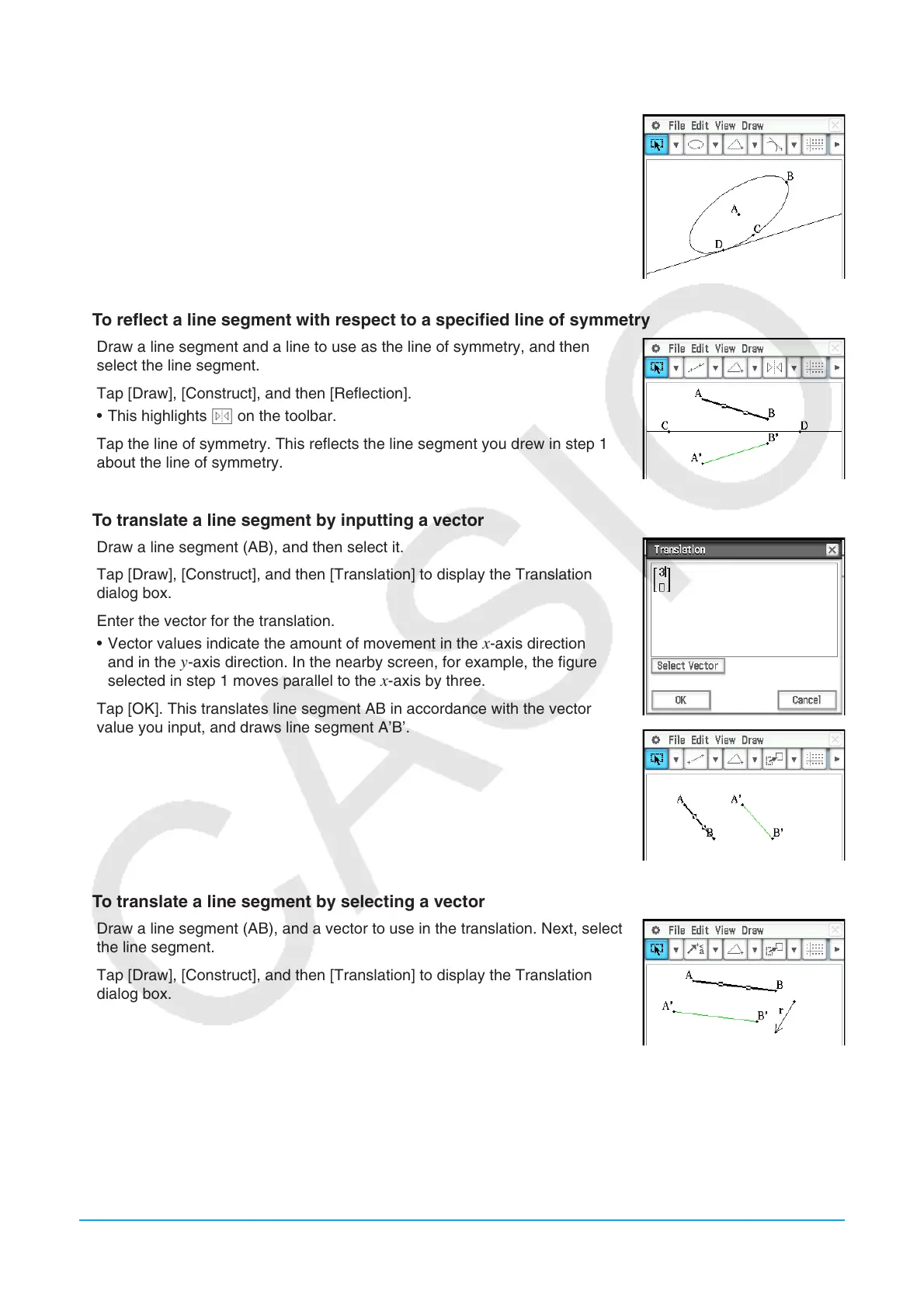
u To construct a tangent to a curve through a specified point
1. Draw a curve, such as an ellipse.
2. Tap [Draw], [Construct], and then [Tangent to Curve].
• This highlights K on the toolbar.
3. Tap the point of tangency on the curve. This draws the tangent.
u To reflect a line segment with respect to a specified line of symmetry
1. Draw a line segment and a line to use as the line of symmetry, and then
select the line segment.
2. Tap [Draw], [Construct], and then [Reflection].
• This highlights S on the toolbar.
3. Tap the line of symmetry. This reflects the line segment you drew in step 1
about the line of symmetry.
u To translate a line segment by inputting a vector
1. Draw a line segment (AB), and then select it.
2. Tap [Draw], [Construct], and then [Translation] to display the Translation
dialog box.
3. Enter the vector for the translation.
• Vector values indicate the amount of movement in the
x-axis direction
and in the y-axis direction. In the nearby screen, for example, the figure
selected in step 1 moves parallel to the x-axis by three.
4. Tap [OK]. This translates line segment AB in accordance with the vector
value you input, and draws line segment A’B’.
u To translate a line segment by selecting a vector
1. Draw a line segment (AB), and a vector to use in the translation. Next, select
the line segment.
2. Tap [Draw], [Construct], and then [Translation] to display the Translation
dialog box.
3. Tap [Select Vector].
4. Tap the vector on the screen. This translates line segment AB in accordance
with the vector you selected, and draws line segment A’B’.















 To Next Page