EasyManua.ls Logo

Cattron Safe-E-Stop - Page 25

Cattron Safe-E-Stop
85 pages
Print Icon
To Next Page IconTo Next Page
To Previous Page IconTo Previous Page
Loading...
25
Version 17
Safe-E-Stop™
User Guide
Once a PSD has joined and become an active member of the E-Stop group, the PSD displays its current status
as indicated in the following table, where # is the current ID of this or another PSD:
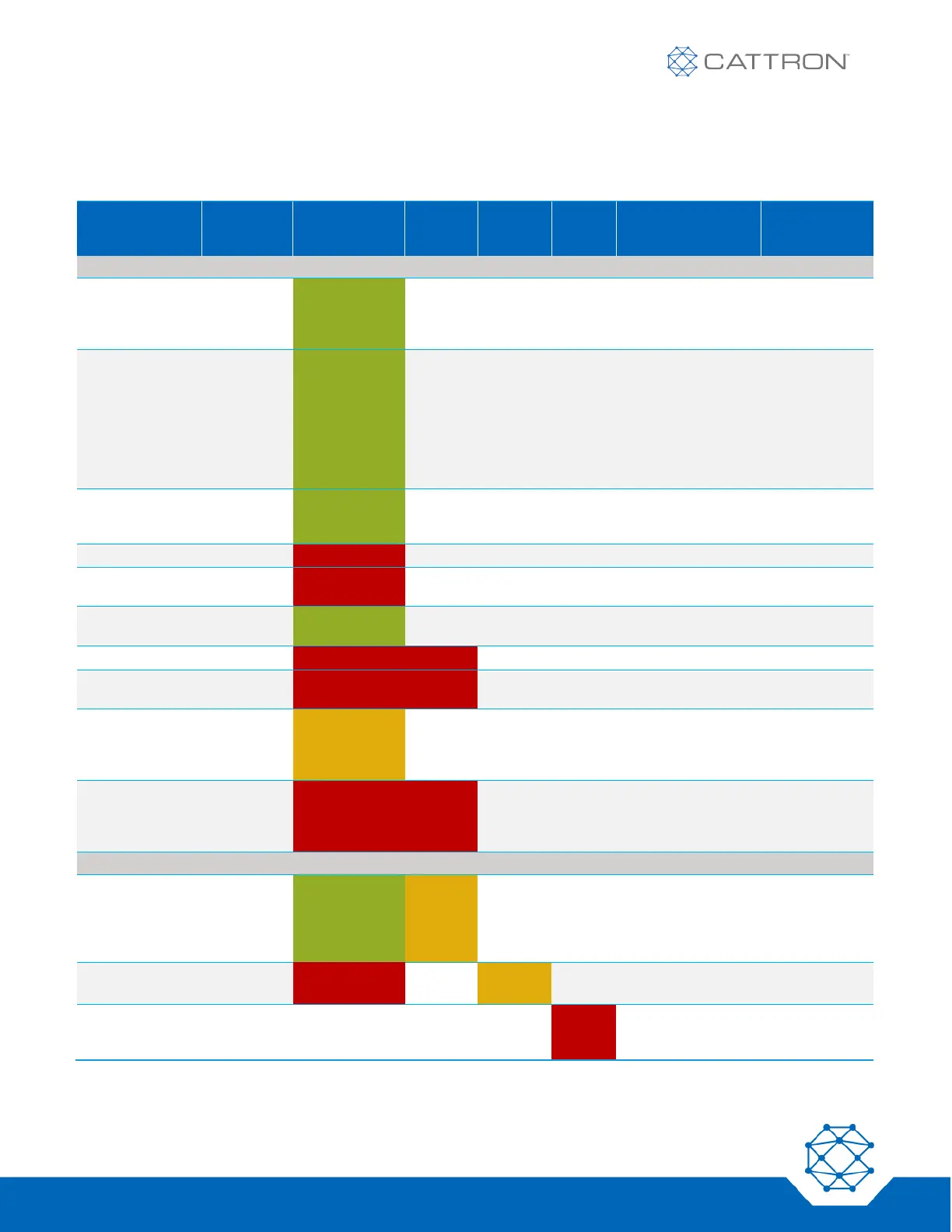
Table 8: Linked Operational States
BUTTON
PRESSED
STATUS LED
COMM
LOSS
LED
LOW
BATT
LED
ERRO
R LED
HAPTIC FEEDBACK
DISPLAY
PSD LINKED STATE
PSD linked
(normal
operation
mode)
Green
(flashing)
1 short pulse (at
state transition to
PSD linked)
PSD #
ACTIVE
Unlink PSD
stage 1
‘O’ until
Status LED
changes to
fast flash;
release ‘O’
for 0.5
seconds,
then
Green (slow to
fast flashing)
Returns to
normal
operation if no
2
nd
press
within 5
seconds
PSD #
ACTIVE
Unlink PSD
stage 2 within 5
seconds
Press ‘O’
again for 1
second
Green
(flashing fast
to off)
1 short pulse (at
state transition to
PSD unlinked)
Changes to:
PSD unlinked
state above
ESTOP pressed
ESTOP
Red (flashing)
3 short pulses
ESTOP
ESTOP pressed
other PSD
Red (flashing)
3 short pulses
ESTOP #
ESTOP re-
opened
Reopen
ESTOP
Green
(flashing)
1 short pulse on all
PSDs
PSD #
ACTIVE
Comm Loss
Red (flashing)
Red
3 short pulses
COMM LOSS
Comm Loss -
other PSD
Red (flashing)
Red
3 short pulses
COMM LOSS
#
Comm Loss
recovery within
30 sec of
Comm Loss
‘I’ for
500mS
Orange
(flashing)
3 short pulses
LINKING
Failure to
recover from
Comm loss;
Recover at MSD
Red (flashing)
Red
flashing
after 30
sec
3 short pulses
(at state transition to
PSD unlinked)
RESET MSD
COMM LOSS
#
BATTERY/ RSSI MONITORING
Low RF signal
Green
(flashing)
Orange
flashing
3 short pulses every
10 sec, 1 short
pulse when re-
entering good RF
signal area
PSD #
ACTIVE
Low battery
level
Red Flashing
Orange
flashing
3 short pulses every
10 sec.
PSD #
ACTIVE
ERROR
Red
flashin
g

Table of Contents