20
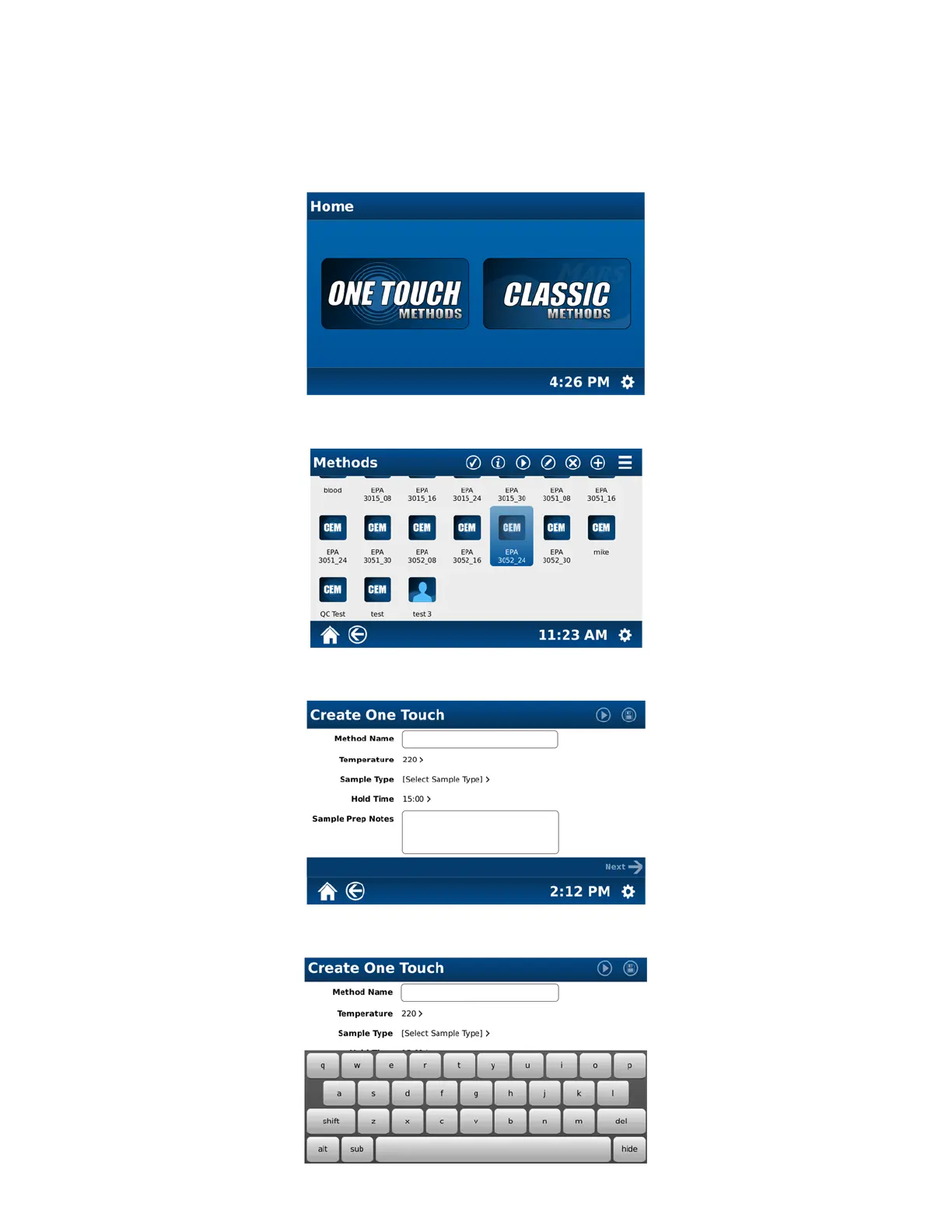
Create One Touch Method
Creation of a method for use in the MARS 6 requires knowledge and selection of the method control type, vessel type,
and sample type for some vessels as well as temperature and pressure control options.
Note: Throughout the text of this manual, the word “select” is used to indicate “touch.”
1. From the MARS 6 home screen, select “One Touch Methods.”
2. To create a one touch method, select “+” at the top of the screen.
3. Select “Method Name.”



 To Next Page