22
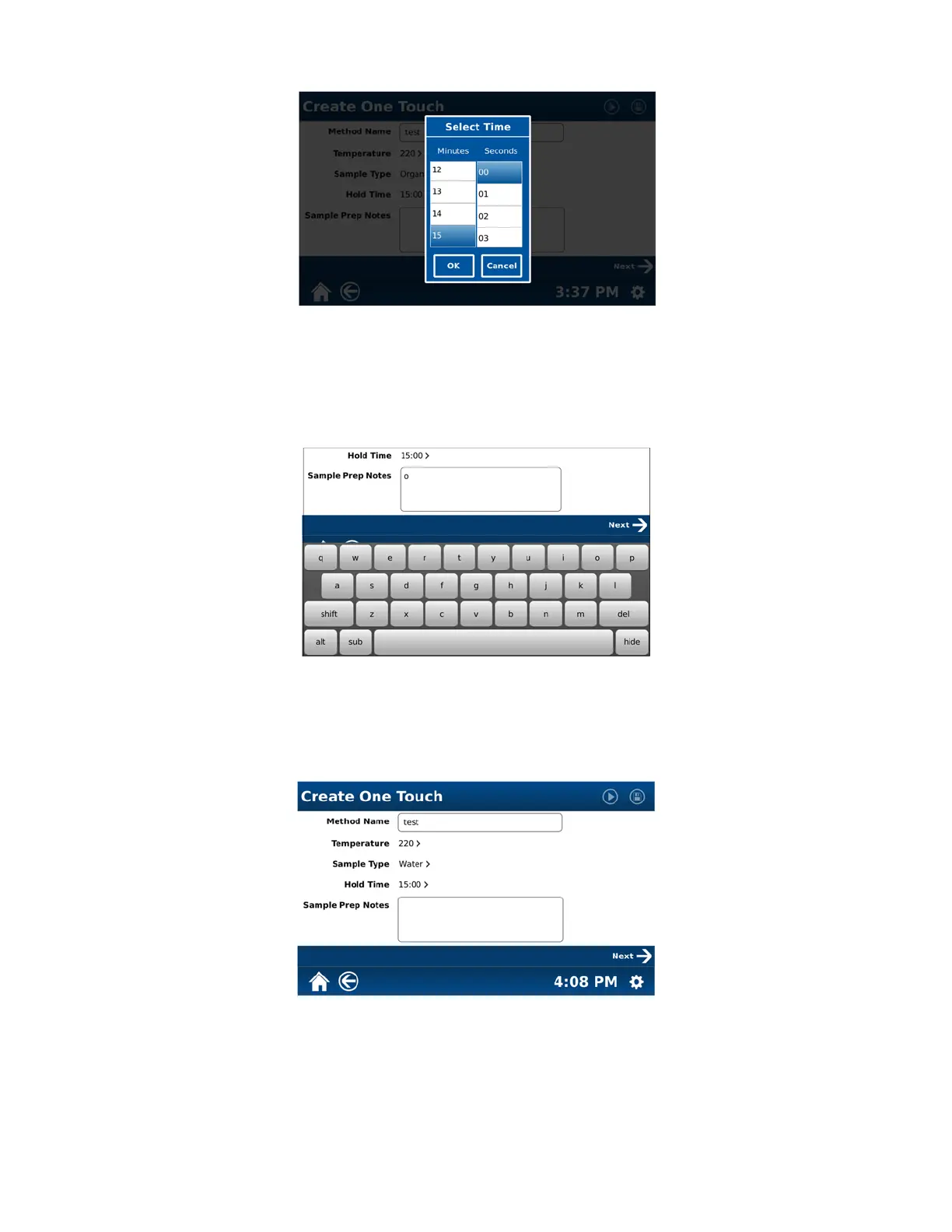
11. Select “Hold Time.”
12. Select the appropriate time (0 – 59 minutes and 59 seconds) to hold the sample at the temperature chosen in
step 6.
13. Select “OK.”
14. If applicable, select “Sample Prep Notes.”
15. Using the keyboard, enter any specific notes for the method. Note: To toggle between upper and lower case
letters for the notes, select the “shift” key on the keypad. To toggle to numbers and symbols for the notes, select
“alt” on the bottom of the keypad. Use the backspace “del” (delete) key to delete unwanted letters and/or
numbers. To enter a subscript, use the “sub” key. Use the space bar to enter a space in the notes. Once the
notes are properly displayed, select “Hide” to close the keypad.



 To Next Page