Ceiec Electric Technology
23
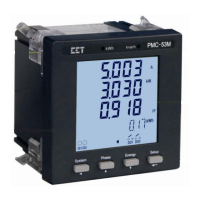
<Phase>: Before a parameter is selected for modification, pressing this button advances to the
next parameter in the menu. If a parameter is already selected, pressing this button
increments a numeric value or advances to the next value in the selection list.
<Energy>: Before a parameter is selected for modification, pressing this button goes back to the last
parameter in the menu. If a parameter is already selected, pressing this button
decrements a numeric value or goes back to the last value in the selection list.
<System>: Pressing this button moves the cursor to the left by one position if the parameter being
changed is a numeric value. Otherwise, this button is ignored.
Making setup changes:
Press the <Setup> button for more than 3 seconds to access Setup Configuration mode.
Press the <Phase> button to advance to the Password page.
A correct password must be entered before changes are allowed. The factory default
password is zero. Press the <Setup> button to select the parameter for modification. Use
the <System>, <Phase> and <Energy> buttons to enter the correct password.
Selecting a parameter to change:
Use the <Phase> and <Energy> button to scroll to the desired parameter.
Press the <Setup> button to select the parameter. Once selected, the parameter value will
blink.
Changing and saving a parameter:
Use the <System>, <Phase> and <Energy> buttons to make modification to the selected
parameter.
After modification, press the <Setup> button to save the new value into memory.
Returning to Data Display mode:
Pressing the <Setup> button for more than three seconds to return to the default display
screen.
3.4.2 Reset the Alarm LED and Buzzer
If the PMC-53 is equipped with the Alarm Buzzer, the I residual and/or Temperature inputs, the
<System> and <Phase> buttons are implemented with additional functions.
<System>: Pressing this button for 3 seconds resets the Alarm LED and Buzzer after the I residual
and/or Temperature ALARM Setpoint has become inactive.
<Phase>: Pressing this button for 3 seconds mutes the Alarm Buzzer while the I residual and/or
Temperature ALARM Setpoint is active.


 To Next Page
 Loading...
