CONTROLS AND FEATURES
59
Secondary Controls
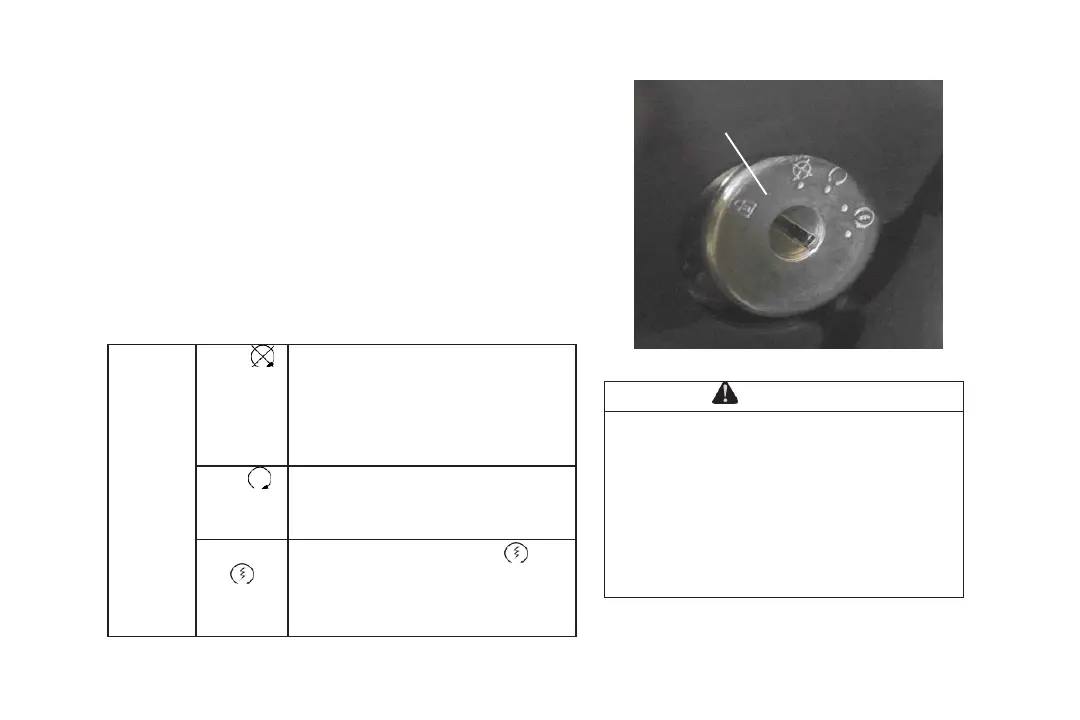
Ignition Key Switch / Engine Stop Switch - ⑥
The ignition key switch / engine stop switch is located on
the lower right side of the steering column.
This switch has 3 positions. Use the key to control the
ignition switch and start the engine. When the key is in
the position of “LOCK”, it can be removed from the
ignition switch and the steering wheel will lock.
NOTE: Do not keep the ignition key switch in ‘START’
for more than 10 seconds.
Do not leave the ignition key inserted
when the operator is away. An
unauthorized use of the vehicle by
others may result in serious injury or
death. Always remember to remove the
ignition key when the vehicle is not in
use.



 To Next Page