knob for 2 seconds or more.
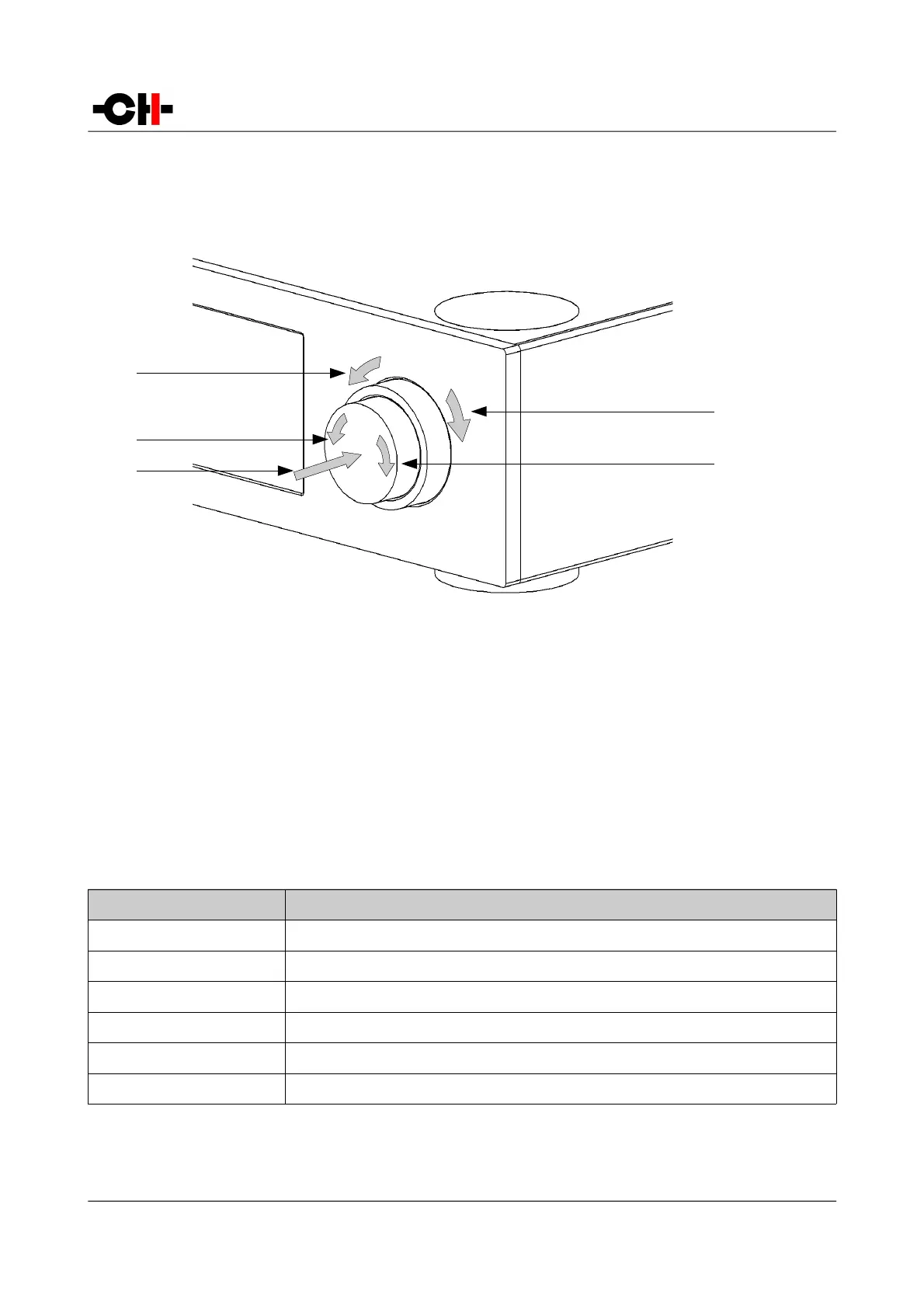
User control knob movements
(1) External ring rotate Left [<<E]
(2) Central knob rotate Left [<<C]
(3) Central knob push. There are two types of push: Normal Push [NP] and Long Push [LP]
(4) External ring rotate Right [E>>]
(5) Central knob rotate Right [C>>]
User Action Code Description
[<<C] Central Left: Rotate central knob to the left
[C>>] Central Right: Rotate central knob to the right
[<<E] External Left: Rotate external ring to the left
[E>>] External Right: Rotate external ring to the right
[NP] Normal Push: push and release central knob
[LP] Long Push: push central knob and maintain for 2s before release
User Action Codes
Rev 1.0 L1 User Manual 25



 To Next Page