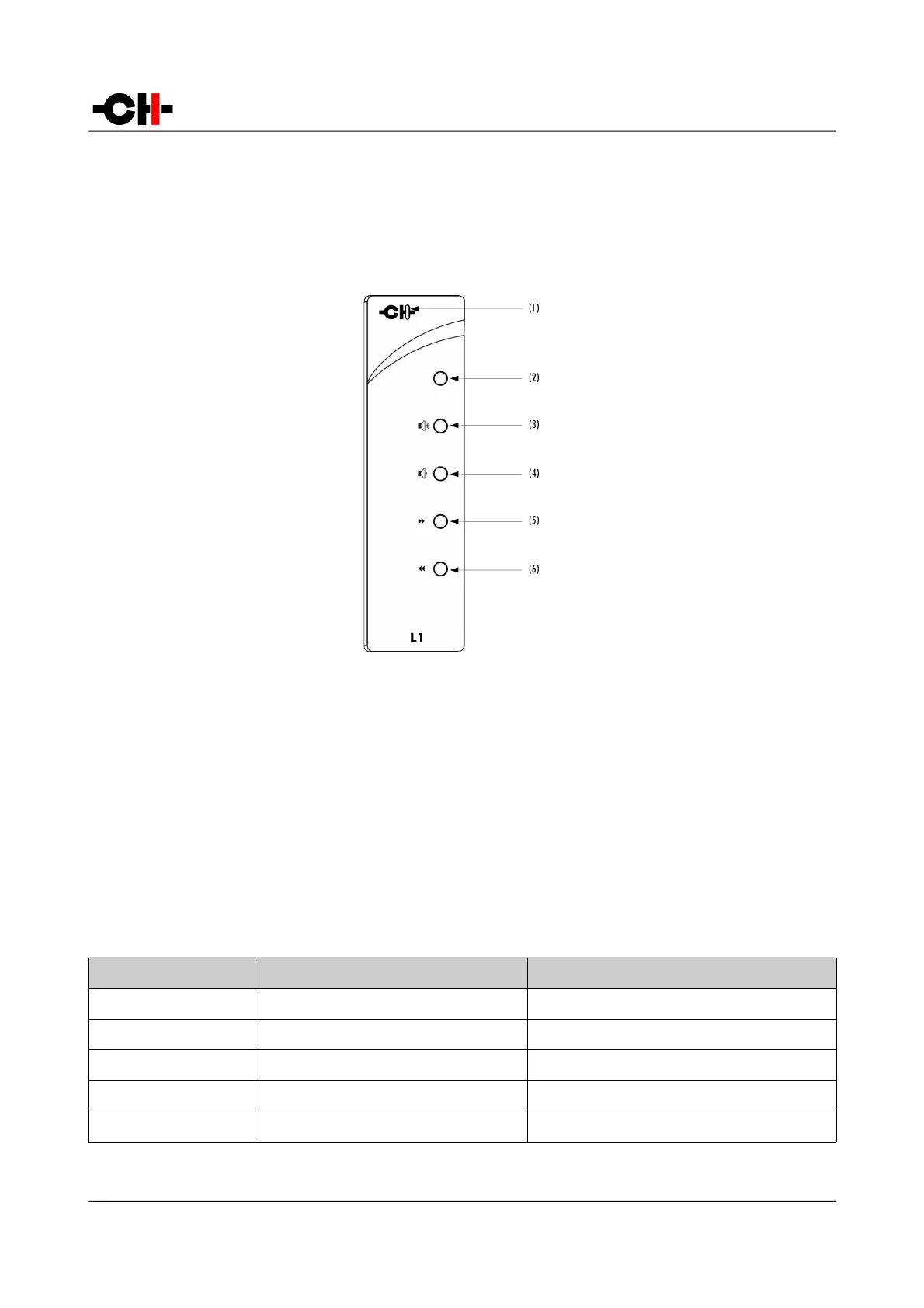
4.4 Remote control
4.4.1 Remote control operation
The L1 controller is delivered with an IR remote to control the unit's basic operations. The provided remote control is not intended
to be used to configure the unit.
L1 Preamplifier remote control
(1) Remote control activity LED
(2) Mute/Standby (long push) button
(3) Volume up button
(4) Volume down button
(5) Next input button / Phase polarity inversion (long push)
(6) Previous input button / Phase polarity inversion (long push)
The remote control activity LED is illuminated while a button is pushed on the remote. The remote control buttons support dual
functions by distinguishing Normal Push [NP] and Long Push [LP]. For a Normal Push [NP], the button is released immediately
after pressing. A Long Push [NP] requires the button to be pressed for at least 2 seconds before being released.
Remote control functions are according to the following table:
Remote Control Button Normal Push [NP] Long Push [LP]
MUTE Mute/Unmute (also wakes-up from STANDBY) Sets unit into STANDBY or wakes it up
VOLUME UP +0.5 dB Increase volume by larger steps
VOLUME DOWN -0.5 dB Decrease volume by larger steps
NEXT INPUT (6) Select next enabled input Phase inversion
PREVIOUS INPUT (5) Select previous enabled input Phase inversion
Remote control functions
40 L1 User Manual Rev 1.0



 To Next Page