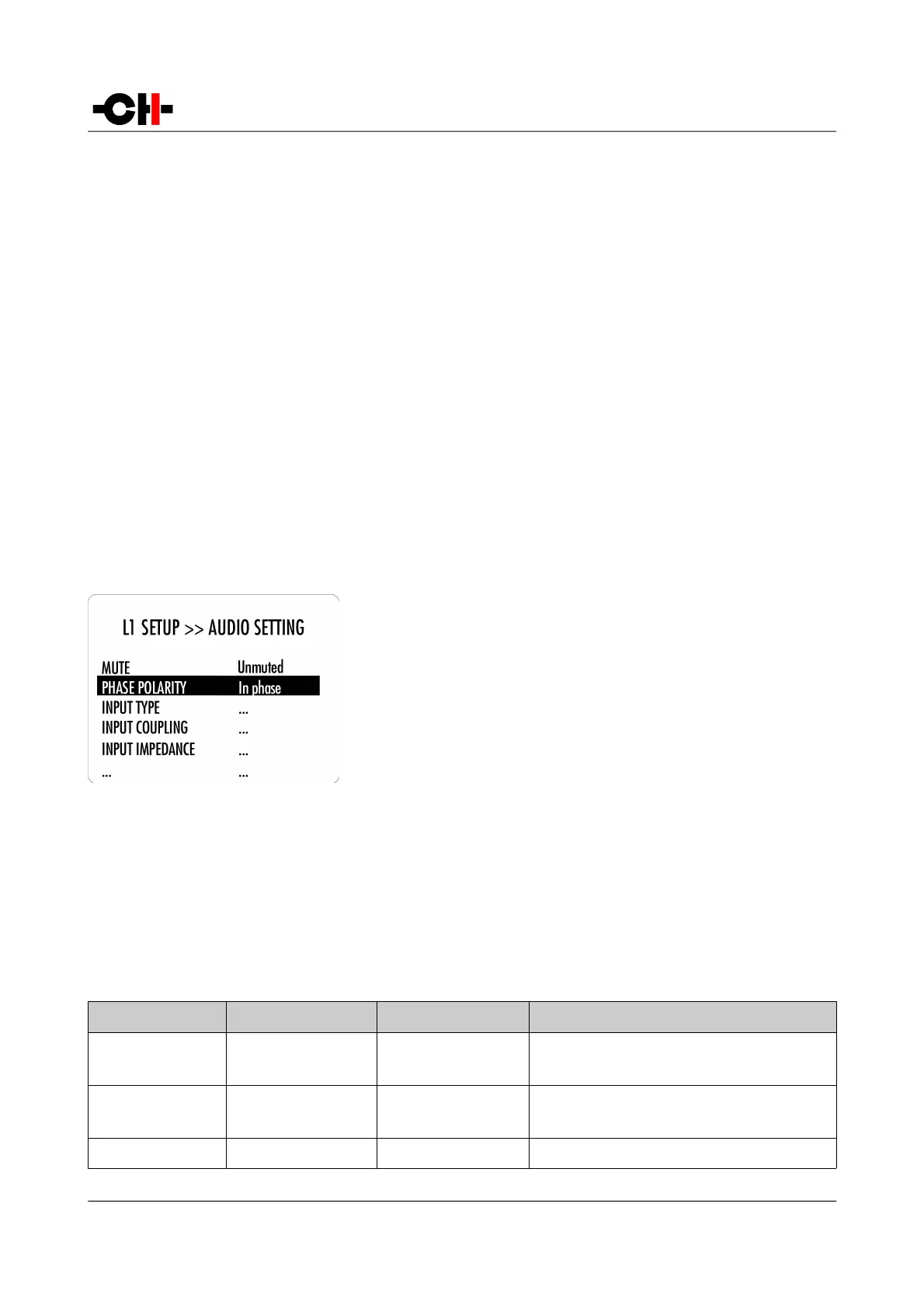
There are six main menus used to configure the L1:
• AUDIO SETTING: Allows to adjust audio related parameters
• DISPLAY SETTING: Allows to adjust the front panel display related parameters
• SHORTCUTS: Allows to assign and modify Shortcuts for user interface customization
• FACTORY SETTING: Indicates the software version and allows to update it. Also allows to return to factory settings
• INSTALLED BOARDS: Indicates which boards are loaded and what audio channel they refers to
• NETWORK: Provides information about the network setup and enables its configuration
4.3.1 L1 configuration menu items
4.3.1.1 AUDIO SETTING
The L1 SETUP >> AUDIO SETTING menu allows the configuration of the audio
related Parameters of the unit. Accessible Parameters are:
- MUTE:
- PHASE POLARITY:
- INPUT TYPE:
- INPUT COUPLING:
- INPUT IMPEDANCE:
- INPUT GAIN:
- INPUT CALIBRATION:
- MONO MODE:
- BALANCE:
- CHANNEL GAIN:
- MAX START VOL:
- MAX VOLUME:
Mutes or unmutes the audio output
Allows to revert the phase of the audio output
Selects if an input is hidden, and/or volume controlled.
Sets individual coupling type (DC vs AC) per input
Sets individual impedance termination per input
Sets individual gain/attenuation per input
Launch individual calibration per input
Allows to sum both channel inputs to each output
+/-6dB L/R balance correction
Apply up to 6dB gain/attenuation on the desired channel
Sets maximum allowed volume at startup
Sets maximum allowed volume
The following table details the Parameters of the AUDIO SETTING menu:
PARAMETER PARAMETER VALUES REQUIRED OPTIONS REMARKS
MUTE Muted
Unmuted
None None
PHASE POLARITY In phase
Out of phase
None None
INPUT TYPE Disabled None “Disabled” inputs cannot be selected anymore when
Rev 1.0 L1 User Manual 33



 To Next Page