4.2 Operating modes
The L1 preamplifier has two main operating modes: Normal mode and Menu mode. Normal mode is used to access standard
preamplifier controls whereas Menu mode is used to configure the unit. The L1 also includes Shortcuts for quick access to selected
Menu mode items. Shortcuts are user programmable and most Menu mode items can be selected as Shortcuts.
4.2.1 Normal mode
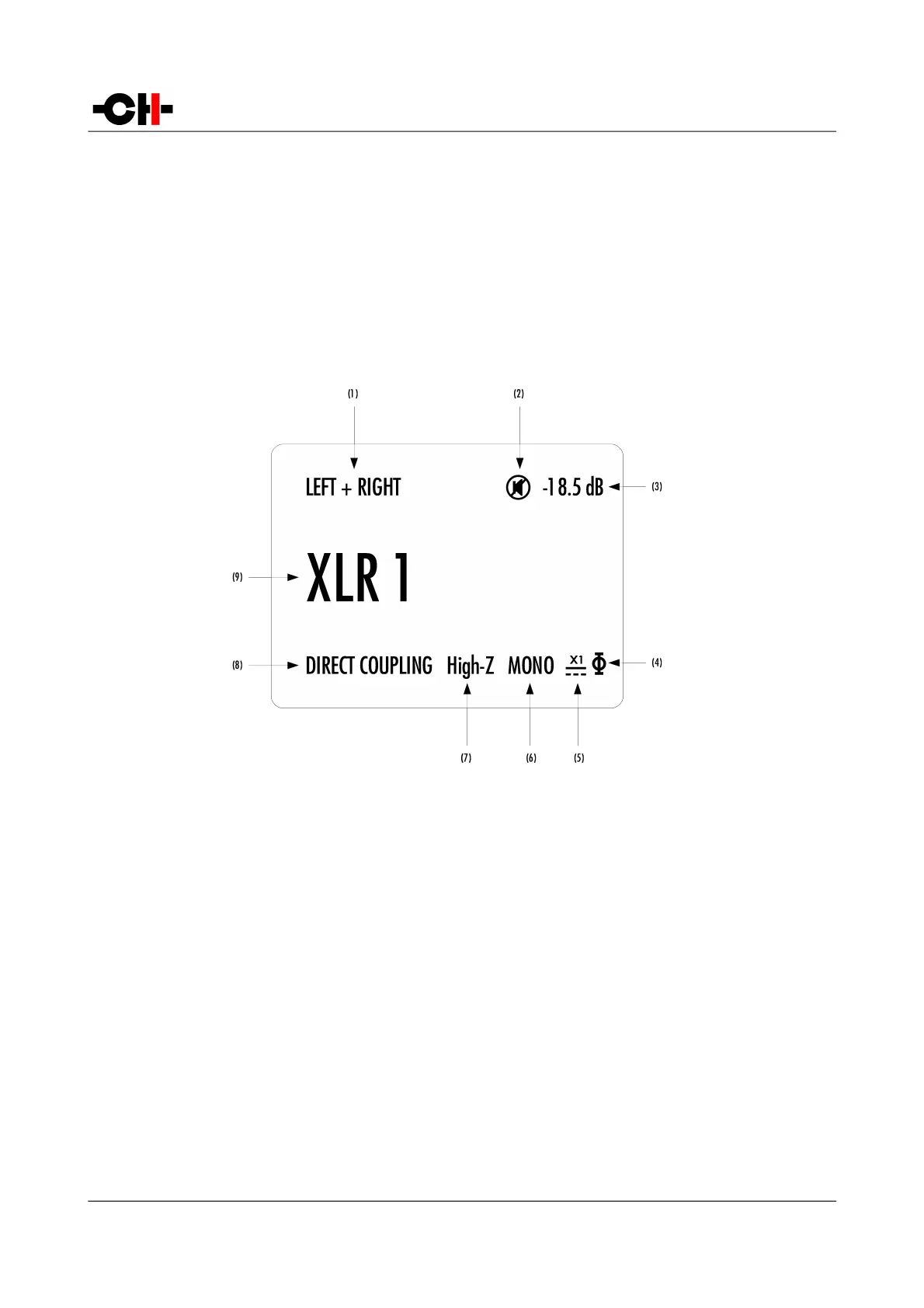
Normal mode is used for standard preamplifier functions. When powered-on, the L1starts in Normal mode. The display looks as
follows:
Normal mode display elements
(1) Handled channel (in true monaural) or channel pair (in dual monaural)
(2) Mute indication. If the 7 symbol is present, the output is muted
(3) Volume
(4) Polarity (phase) indication. If the H symbol is present, polarity is reversed
(5) External power supply indication. When an external power supply is connected and engaged, < symbol is displayed and internal power supply is
turned off
(6) Monaural mode indication. If MONO is displayed, content of both channel are summed up (L+R) and output on both L and R output
(7) Impedance termination indication. High-Z is displayed when no termination resistor is engaged, 600 or 300 Ohm when a termination resistor is
activated
(8) Input coupling state. Direct coupling means there is absolutely no capacitor in the signal path, DC blocking means the selected input goes through
a high performance polypropylene capacitor
(9) Input source name. Each input source can be renamed through L1's menu
26 L1 User Manual Rev 1.0



 To Next Page