EasyManua.ls Logo

Chamberlain LA100 - User Manual

Chamberlain LA100
32 pages
Print Icon
To Next Page IconTo Next Page
Loading...
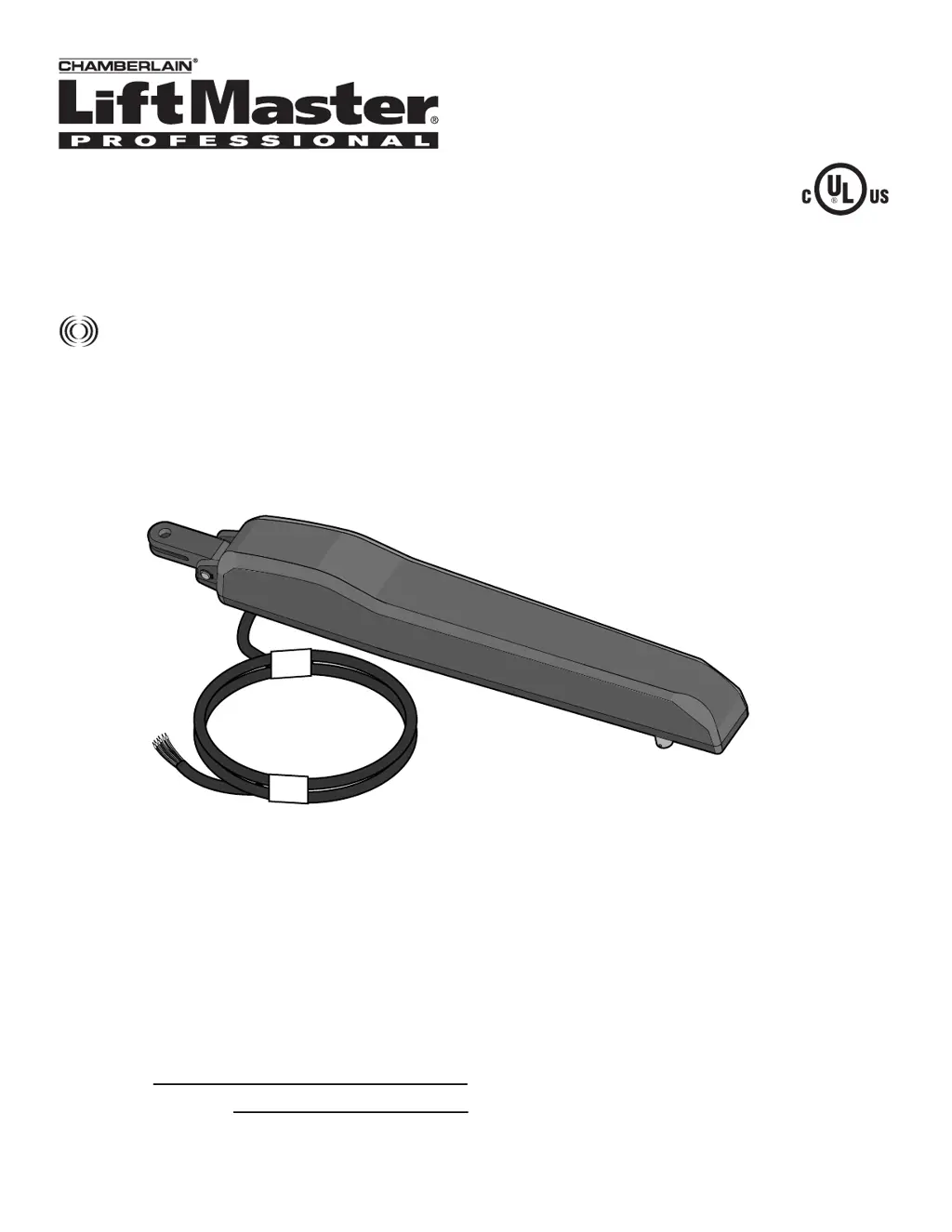
Owner’s Manual
Please read this manual and the enclosed safety materials carefully!
Periodic checks of the operator by a qualified technician are required to ensure
safe operation.
The model number label is located inside the control box of your operator.
Serial #
Installation Date
RESIDENTIAL GATE OPERATOR
Model LA100
For Residential Use Only
The Chamberlain Group, Inc.
845 Larch Avenue
Elmhurst, Illinois 60126-1196
www.liftmaster.com

Questions and Answers

  • M
    Marcus MoranSep 2, 2025
    What to do if my Chamberlain LA100 Gate Opener alarm is sounding continuously?
    • J
      Joseph JosephSep 2, 2025
      A continuous alarm indicates that the gate has encountered two consecutive Gate Force obstructions. First, check to ensure the gate path is clear of any obstructions. To clear the alarm and restore normal operation, push and release the RESET BUTTON on the outside of the control box.
  • J
    jrodriguezSep 1, 2025
    What to do if Chamberlain LA100 Gate Opener force reversal while opening?
    • M
      Mr. Robert GarciaSep 1, 2025
      Perform a power on reset on your Chamberlain Gate Opener.
  • A
    Andrew OrtegaAug 31, 2025
    How to check Chamberlain Gate Opener safety sensors connection?
    • C
      charles09Aug 31, 2025
      Check for proper connections of (Red / +) and (Black / -) wires at the control board of your Chamberlain Gate Opener. Ensure polarity is maintained.
  • S
    Sherry RobinsonAug 30, 2025
    What to do if Chamberlain Gate Opener safety sensors are disconnected?
    • M
      Melissa CarsonAug 30, 2025
      Check all low voltage wiring from the Chamberlain Gate Opener sensors for breakage or poor connections.
  • M
    Michelle BarrettAug 29, 2025
    How to fix Chamberlain Gate Opener safety sensors misalignment?
    • K
      Kelly MillerAug 29, 2025
      Check the sensor path for any obstructions or misalignment. When the sensors are properly aligned, both indicator LEDs on the sensors will be lit.
  • L
    Luis BrownAug 28, 2025
    Why Chamberlain LA100 force reversal while closing?
    • C
      Christopher BartonAug 28, 2025
      If your Chamberlain Gate Opener experiences a force reversal while closing and indicates that the normal gate force was exceeded, check for any obstructions or excessive resistance in the gate's path. Also, relearn the gate force by pressing the PURPLE BUTTON 2 times and then cycling the gate.
  • G
    Greg ButlerAug 27, 2025
    Why Chamberlain LA100 does not close automatically?
    • V
      vincentdeleonAug 27, 2025
      If your Chamberlain Gate Opener doesn't close automatically with TTC enabled, it could be due to several reasons: the operator has lost power, the gate opened by a forced reversal, the safety sensors are blocked or misaligned, or party mode has been enabled.
  • L
    Lori ScottAug 26, 2025
    Why does my Chamberlain LA100 open but not close?
    • K
      kevinmossAug 26, 2025
      If your Chamberlain Gate Opener opens but won't close, the safety sensors might be blocked or misaligned.
  • A
    Anna JohnsonAug 25, 2025
    What to do if Chamberlain Gate Opener remote control doesn't work?
    • B
      bradley16Aug 26, 2025
      If your Chamberlain Gate Opener isn't responding to the remote, first check the remote's battery. If the YELLOW LED on the control board blinks rapidly when you press the remote button, the battery is likely good. If the LED doesn't blink, replace the battery. If the LED blinks but the operator still doesn't respond, try reprogramming the remote control.
  • K
    kevin94Aug 25, 2025
    How to troubleshoot a Chamberlain Gate Opener that won't run?
    • J
      joselawrenceAug 25, 2025
      If your Chamberlain Gate Opener isn't running, start by ensuring the power supply is properly plugged into a functioning outlet and that the circuit breaker is working correctly. Also, inspect the wiring connections at both the power supply terminals and the control board to ensure they are secure. To check the power supply, use a voltmeter to verify 24Vac at the COM and 24Vac terminals on the power supply. Also, check for 24Vac at the end of the two wires leading from the transformer to the control board.

Summary

INTRODUCTION

Safety Installation Information

Provides essential safety precautions and guidelines for installing the gate operator correctly.

INSTALLATION

Mounting the Control Box and Power Supply

Instructions for mounting the control box and connecting the power supply safely.

Secure Brackets to Gate Post and Gate

Instructions for securely fastening the post and gate brackets using provided hardware.

WIRING

Connect Gate Operator to Control Box

Step-by-step guide for connecting the gate operator cable to the control box.

PROGRAMMING

Programming Gate Travel (Limit Learn)

Guides the user through setting the gate's open and close travel limits.

Gate Force Sensitivity Adjustment

Explains how to adjust the gate's force sensitivity and test its operation.

Safety Sensor Connections

Steps for connecting the safety sensors to the control board and testing them.

Entrapment Zone Safety Sensor Placement

Illustrates the correct placement of safety sensors to prevent entrapment hazards.

OPERATION AND MAINTENANCE

Entrapment Protection System

Details how the gate operator detects and responds to obstructions for safety.

Troubleshooting Guide

Lists common symptoms, problems, and their solutions for the gate operator.

Chamberlain LA100 Specifications

General IconGeneral
BrandChamberlain
ModelLA100
CategoryGate Opener
LanguageEnglish

Related product manuals