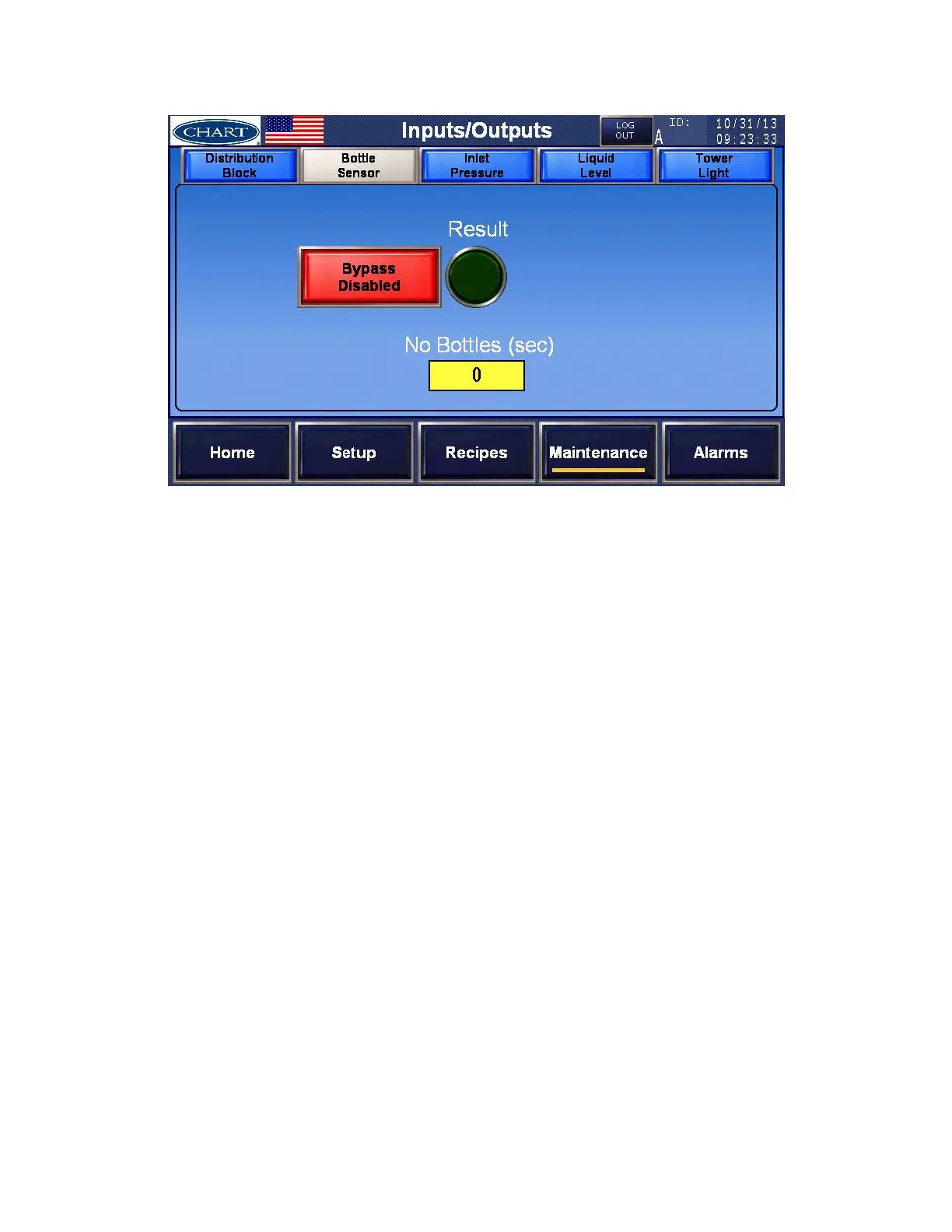
Bottle Sensor – set the functions of the bottle detect sensor
The Bottle Sensor is used to detect bottles moving under the dosing head.
a) Result – This is the current status of the Bottle Sensor. When illuminated green, bottles are
being sensed, either from the sensor or the ‘Bypass Enabled/Disabled’ pushbutton.
b) Bypass Enabled/Disabled Pushbutton – Provides the ability to override the bottle detect
sensor. Ideal if the bottle detect sensor goes bad, the doser will still run. When ‘Enabled’,
if there is no bottle detection for the user defined seconds ‘No Bottles (sec)’, the system
will stop dosing liquid nitrogen
c) No Bottles (sec) – If ‘Bypass Enabled’, if there is no bottle detection for the user defined
seconds entered in this field.


 To Next Page