42 DF II Series User Manual
CONNECTING A PRINTER
The DF II Series force gauge can transmit infor-
mation to a serial data printer or Mitutoyo printer.
Printing is performed from the View display using
the TRANSMIT function.
From the Home display, select F3 (More) to access
the View Display.
Select F1 (Xmit) to access the Transmit display.
From this display, you have the options of transmit-
ting the current displayed result, or transmitting all
results saved in the instrument memory. Selecting
the Xmit keys will send data through the gauge’s
output,intheconguredformat,totheexternal
device.
See Communications for the output setup options.
COMMUNICATION CABLES
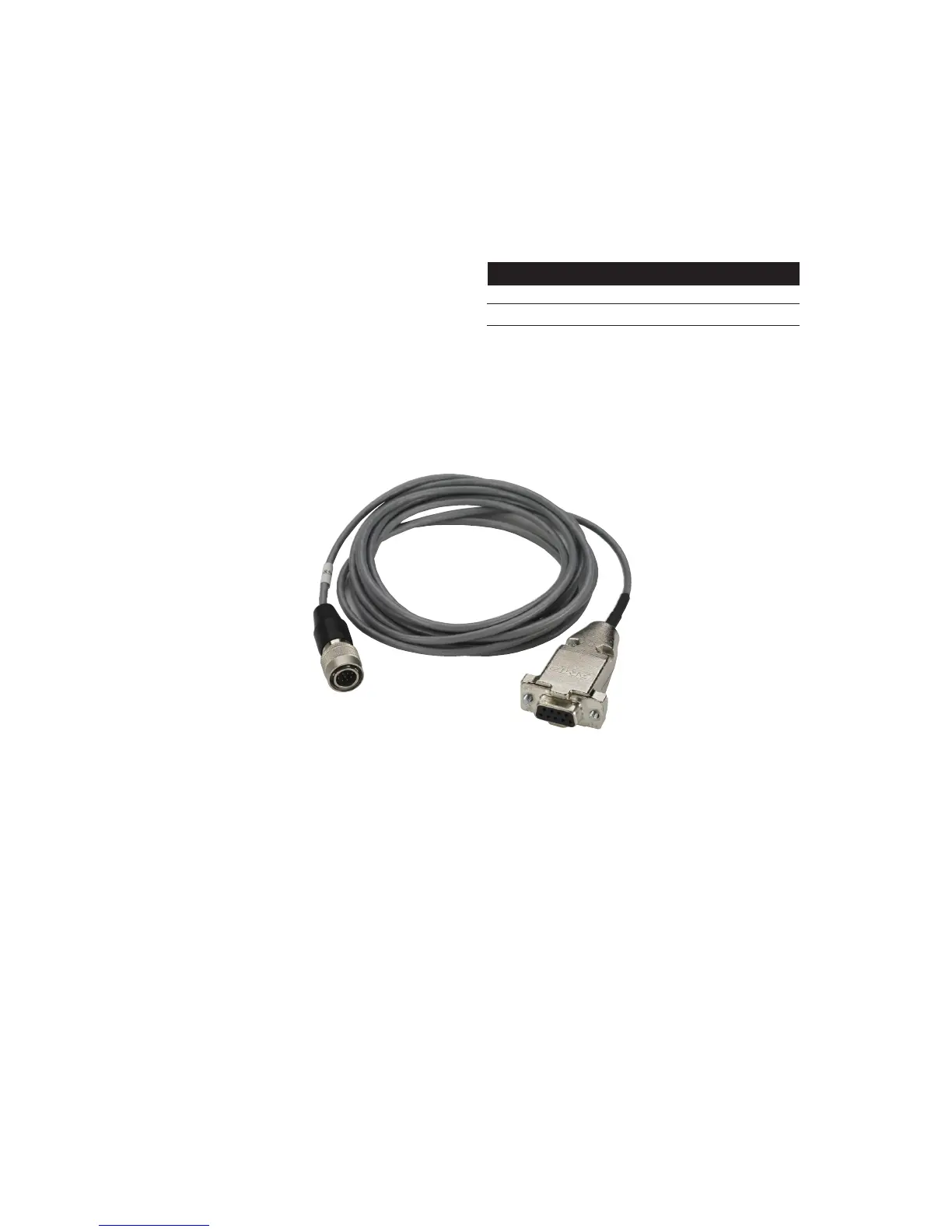
The DF II Series gauges are supplied standard
with an RS232 serial data cable (p/n SPK-DF-
RS232). You may also use the outputs on these
gauges to communicate with Mitutoyo devices.
A USB cable is also available.
Serial Device SPK-DF-RS232
Mitutoyo Device NC000654
Connect to Cable
SPK-DF-RS232



 To Next Page