Freeze-dryer Alpha 1-4 LDplus
Freeze-dryer Alpha 2-4 LDplus
Version 11/2006, Rev. 2.2 of 17/10/2016 • sb
Translation of the original operating manual
Pos: 126 /200 Chris t/360 GT-B A Labor-Pilot ( STANDARDMOD ULE)/060 Betrieb/LDplus/ 060-0050-002 0 Modus @ 31\ mod_14083525 01978_68.doc x @ 209563 @ 3 @ 1
6.5.2 Mode
The mode can be called up with the left function key if a value window is
active. The individual phases can be selected as follows:
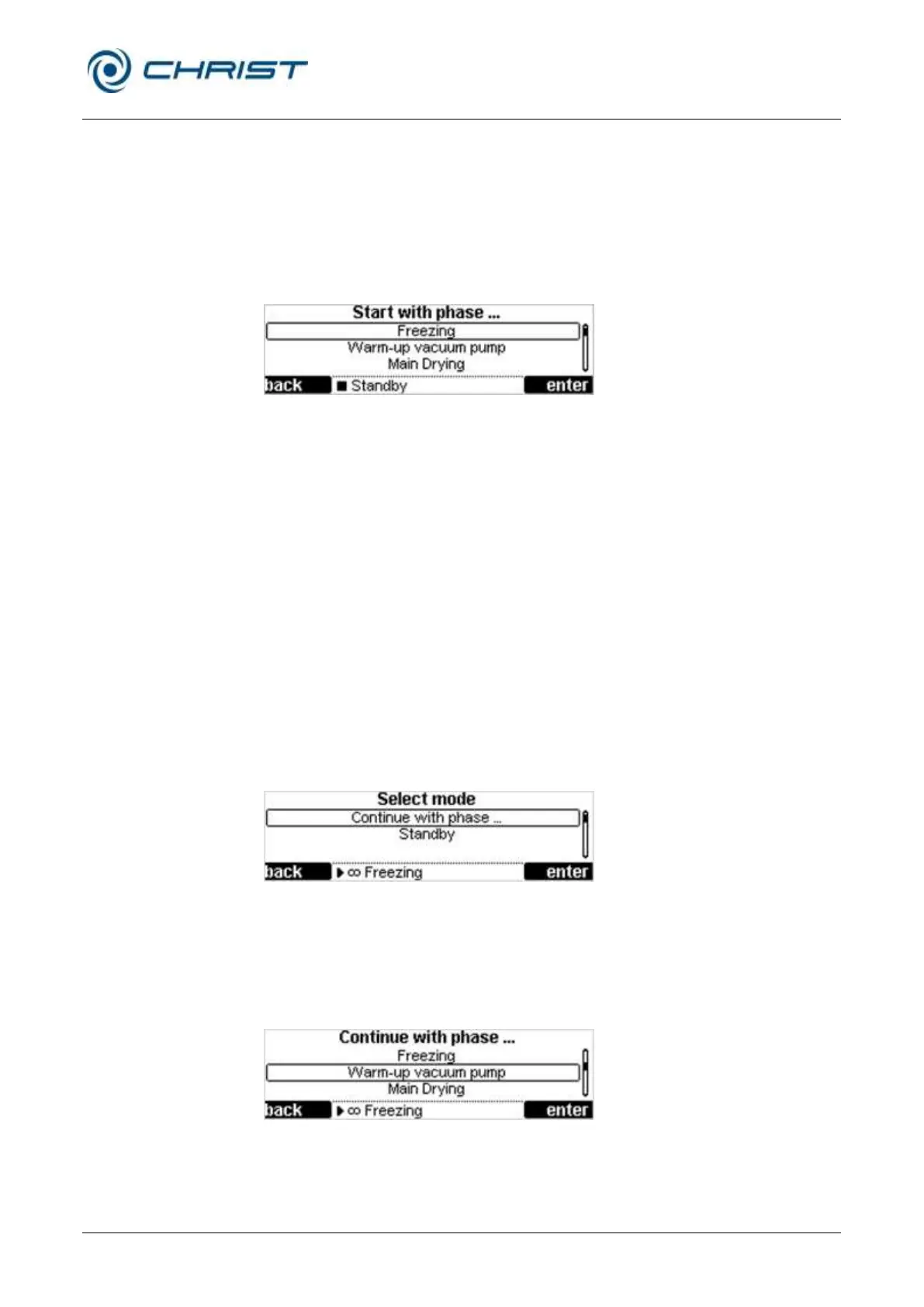
• Press the left function key "mode". The menu "Start with phase..." will
be displayed (see the illustration).
• Select the desired menu item by way of the up/down keys.
• Confirm with the right function key "enter".
Fig. 26: Selecting a mode
Starting the freeze-drying process
The freeze-drying process comprises four phases:
• Freezing
• Warm-up vacuum pump
• Main drying
• Final drying
If "main drying" or "final drying" is selected, the system enquires as to
whether the vacuum pump shall warm up beforehand.
Changing the phase
The freeze-dryer is in the run mode. In order to switch over to the next
phase or to stop the process by way of "standby":
• Press the left function key "mode". The menu "Select mode" will be
displayed (see the illustration).
Fig. 27: Selecting a mode
• Select the menu item "Continue with phase..." by way of the up/down
keys and confirm the selection with the right function key "enter".
• Select the desired phase by way of the up/down keys and confirm the
selection with the right function key "enter".
Fig. 28: Continuing the freeze-drying process


 To Next Page