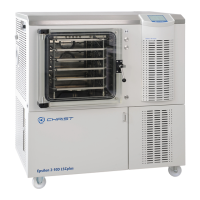
Freeze-dryer Alpha 1-4 LDplus
Freeze-dryer Alpha 2-4 LDplus
Version 11/2006, Rev. 2.2 of 17/10/2016 • sb
Translation of the original operating manual
Pos: 128 /200 Chris t/360 GT-B A Labor-Pilot ( STANDARDMOD ULE)/060 Be trieb/LDplus/06 0-0050-003 0 Hauptmenü @ 3 1\mod_140 8352502506_68.d ocx @ 209578 @ 3 @ 1
6.5.3 Main menu
The main menu can be selected from the main window by way of the right
function key "menu". It includes the following submenus:
• Change set values (see chapter 6.5.3.1 - "Changing set values")
• Special functions (see chapter 6.5.3.2 - "Special functions")
• Process & equipment info (see chapter 6.5.3.3 - "Process and
equipment information")
• Options (see chapter 6.5.3.4 - "Options")
• Tutorial (see chapter 6.5.3.5 - "Tutorial")
1 Menu bar
2 Menu title
3 Selection frame
4 Scroll bar
5 Function key "exit
menu"
6 Function key "open
menu item"
Fig. 30: Layout of the main menu
Pos: 129 /010 Uni versalmodule/ Leerz eile @ 0\mod_12 02116244500 _0.docx @ 1 14 @ @ 1
Pos: 130 /200 Chris t/360 GT-B A Labor-Pilot ( STANDARDMOD ULE)/060 Be trieb/LDplus/06 0-0050-003 0-0010 Sollwerte ändern @ 31\ mod_14083525 02811_68.doc x @ 209591 @ 4 @ 1
6.5.3.1 Changing set values
• Select the "Change set values" function in the main menu.
Fig. 31: Menu "Change set values"
• Select the set value by way of the up/down keys. The selected value will
be displayed in a selection frame.
Fig. 32: Manual mode – set value selection
• Confirm with the right function key "edit". The selected value will be
displayed in inverted form.
Fig. 33: Inverted indication of the selected set value
• Change the set value by way of the up/down keys.
• Confirm with the right function key "ok".
The modification of the set value is now complete.


 To Next Page