Freeze-dryer Alpha 1-4 LDplus
Freeze-dryer Alpha 2-4 LDplus
Version 11/2006, Rev. 2.2 of 17/10/2016 • sb
Translation of the original operating manual
Status of the information
All of the information that is displayed receives a certain status:
Information present, not acknowledged
Information present, acknowledged
Cause of the message no longer present, information not
acknowledged
The sound signal is issued until all of the information has been
acknowledged.
If the cause of the message is no longer present and if the information has
been acknowledged it will be removed from the process and equipment
information window.
The menu cannot be exited by way of the left function key "back" until all of
the information has been acknowledged.
Pos: 135 /010 Uni versalmodule/ Leerzeile @ 0\mod_12 02116244500 _0.docx @ 1 14 @ @ 1
Pos: 136 /200 Chris t/360 GT-B A Labor-Pilot ( STANDARDMOD ULE)/060 Be trieb/LDplus/06 0-0050-003 0-0040 Optione n @ 31\mod_140 8352504170_ 68.docx @ 209 648 @ 4 @ 1
6.5.3.4 Options
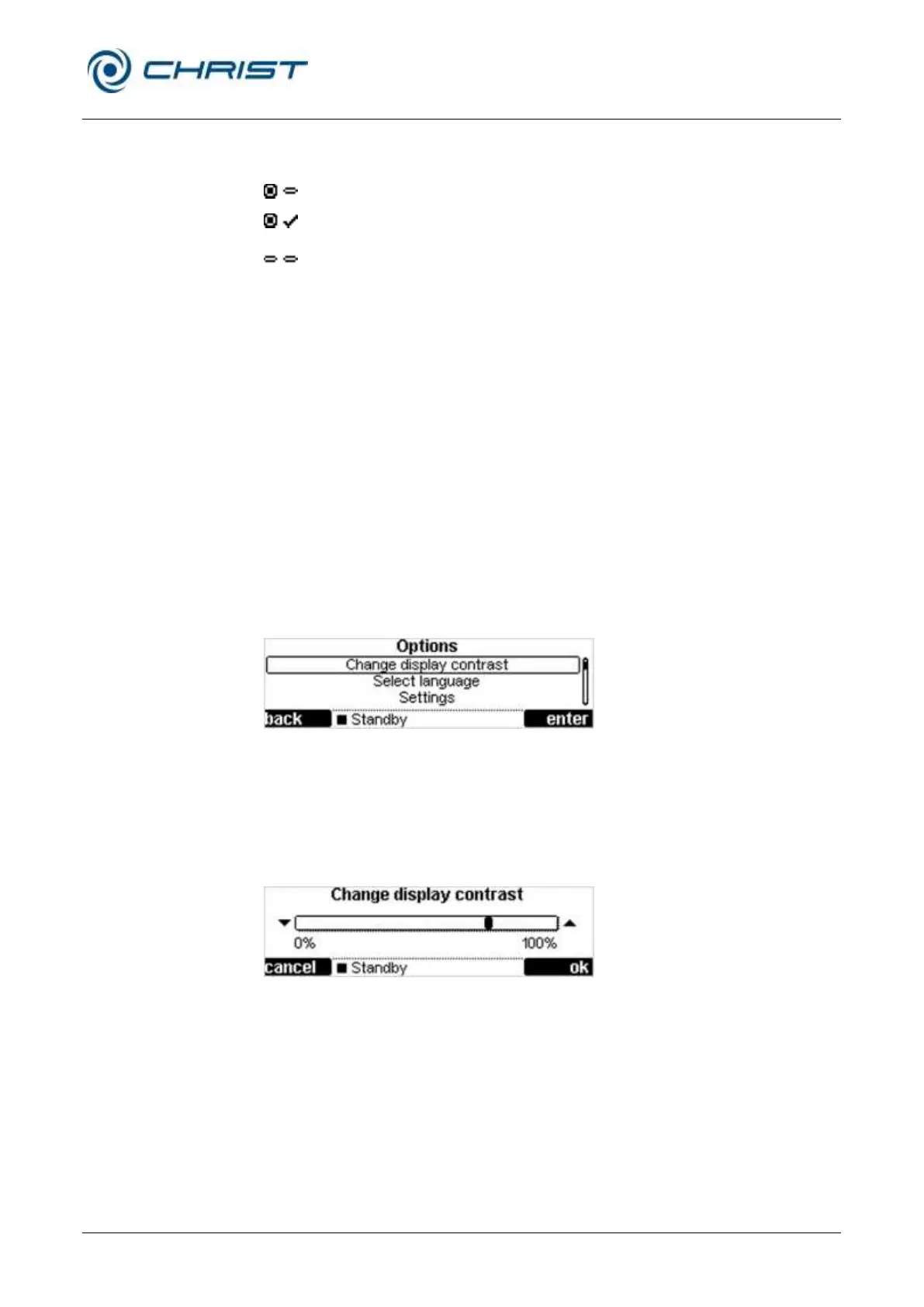
The following values can be adjusted in the "Options" menu:
• Display contrast
• Language
• Settings
• Service menu
Fig. 39: "Options" menu
Changing the display contrast
• Select the menu "Change display contrast".
• Adjust the contrast by way of the up/down keys.
• Confirm the entry with the right function key "ok".
Fig. 40: Menu for changing the display contrast


 To Next Page