Operation
4-1
4. Operation
4.1 Preparation for Test
(1) Check the input range of power voltage on the rear panel and make sure the power
switch is OFF before plugging in the power cord.
(2) Make sure the fuse used is applicable. See the section of 1.5 Fuse for t
he specification
required.
WARNING
Be sure to remove the power cord first when replacing the fuse to avoid
the hazard of electric shock.
4.2 System Setup
4.2.1 Checking the Firmware & Digital Version
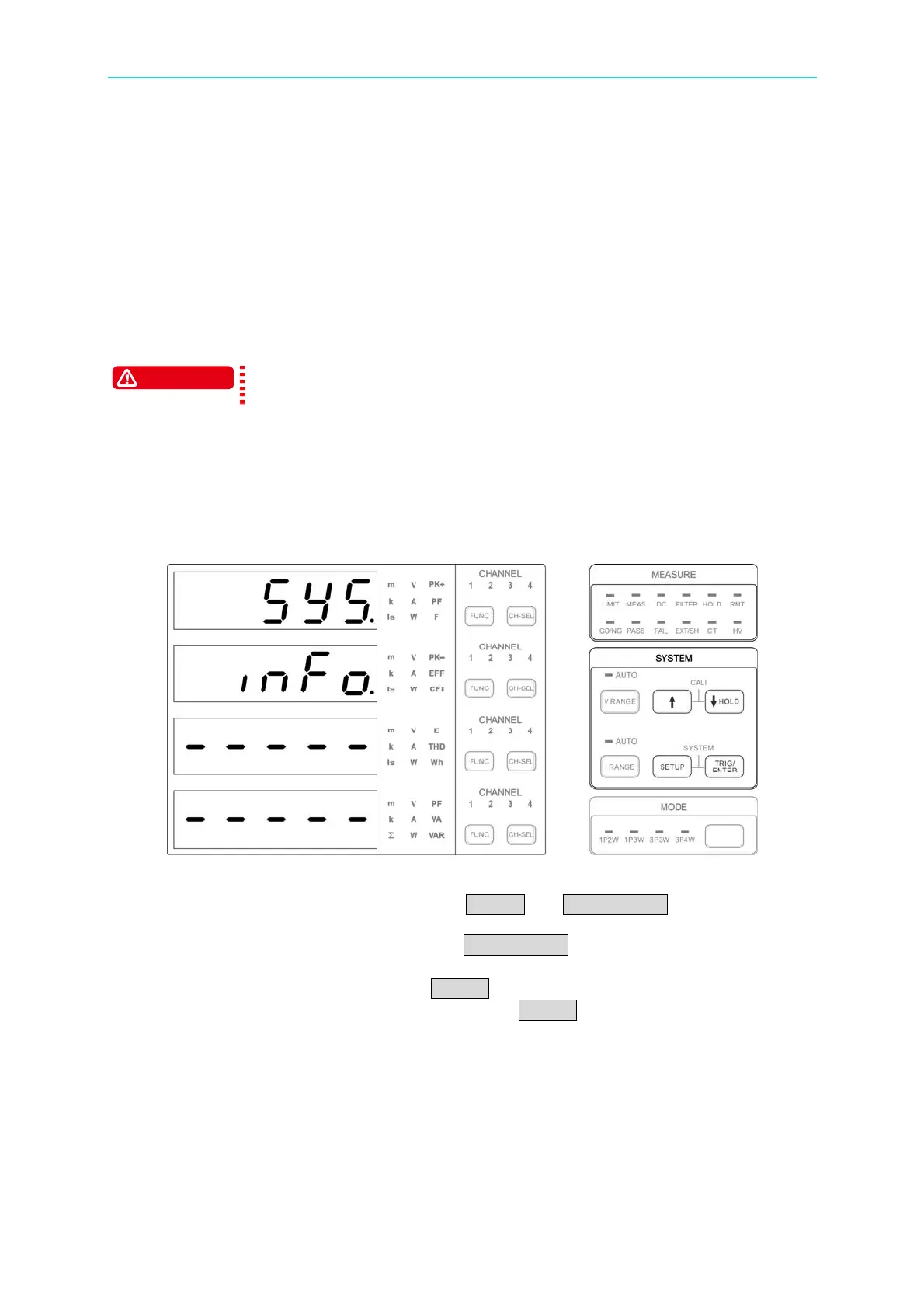
Figure 4-1 Menu for Checking Firmware & Digital Version
1. After the power-on self-test is done, press SETUP and TRIG/ENTER at the same time
to enter into the system menu. Select Info. and the first screen shows the firmware and
digital version no. of Main Frame. Press TRIG/ENTER continuously can check the
firmware and digital version of channel 1~channel 4.
2. When the version is confirmed, press SETUP again to return to the system menu and
perform the setting for other parameters or press SETUP again to return to the
measurement screen.



 To Next Page