Digital Power Meter 66203/66204 User’s Manual
4-14
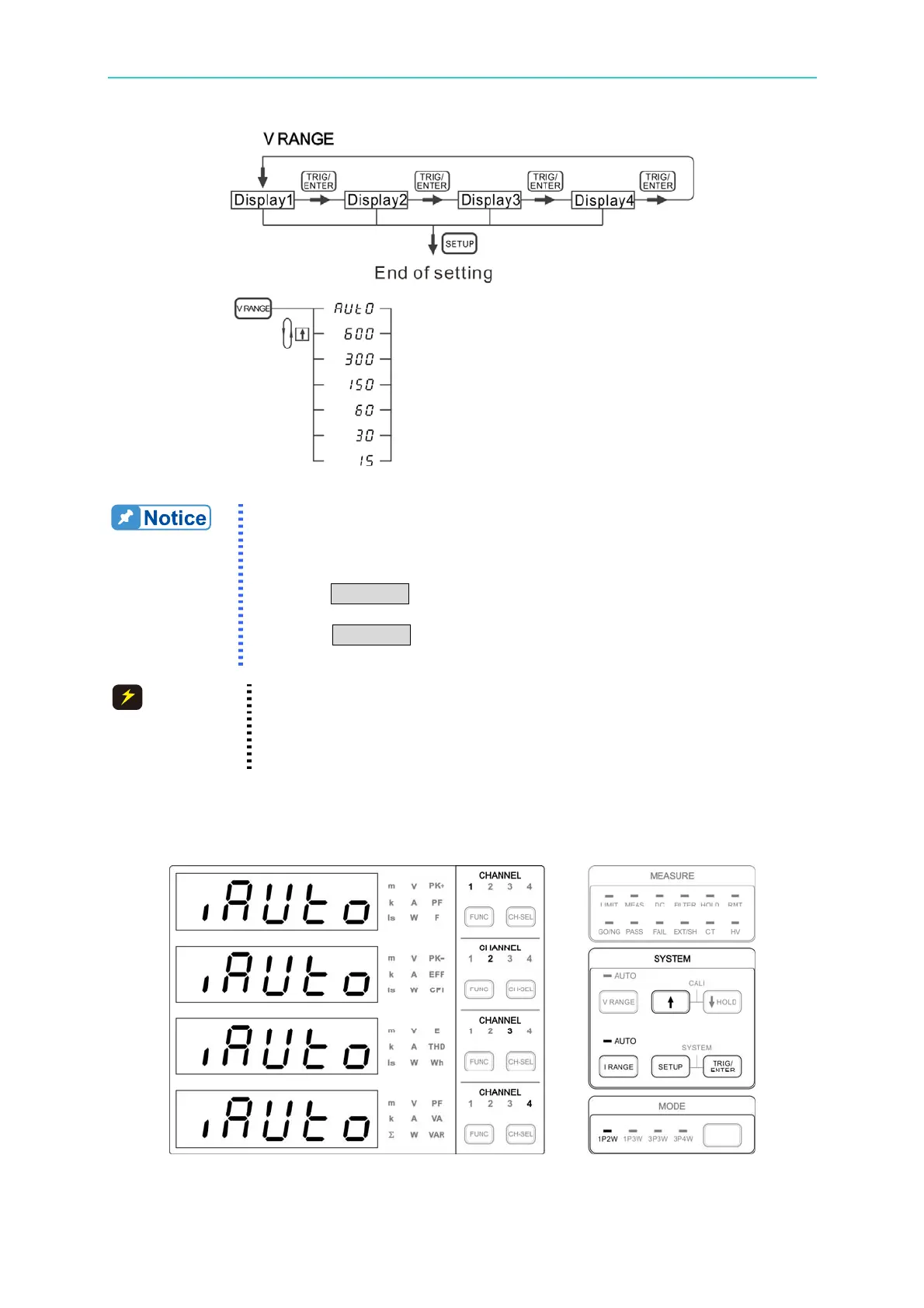
Figure 4-20 Process for Setting Voltage Range
1. If any of the channel’s voltage range is set to Manual, the AUTO
indicator will not be on. In other word, the AUTO indicator only
turns on when all the voltage range of all channels are set to AUTO.
2. If an over range message appears when the range is set to Manual,
press V RANGE to adjust the voltage range higher. Press once to
increase a range.
3. Press V RANGE continuously can see the measurement range at
present.
CAUTION
The maximum measureable voltage is 600Vrms. Though the
measureable peak is 1200V, the maximum allowable input DC voltage
is still 600Vdc. It could cause dangerous if the voltage input range is
over.
4.5.2 Setting Current Range
Figure 4-21 Current Range Setup Screen



 To Next Page