Digital Power Meter 66203/66204 User’s Manual
4-24
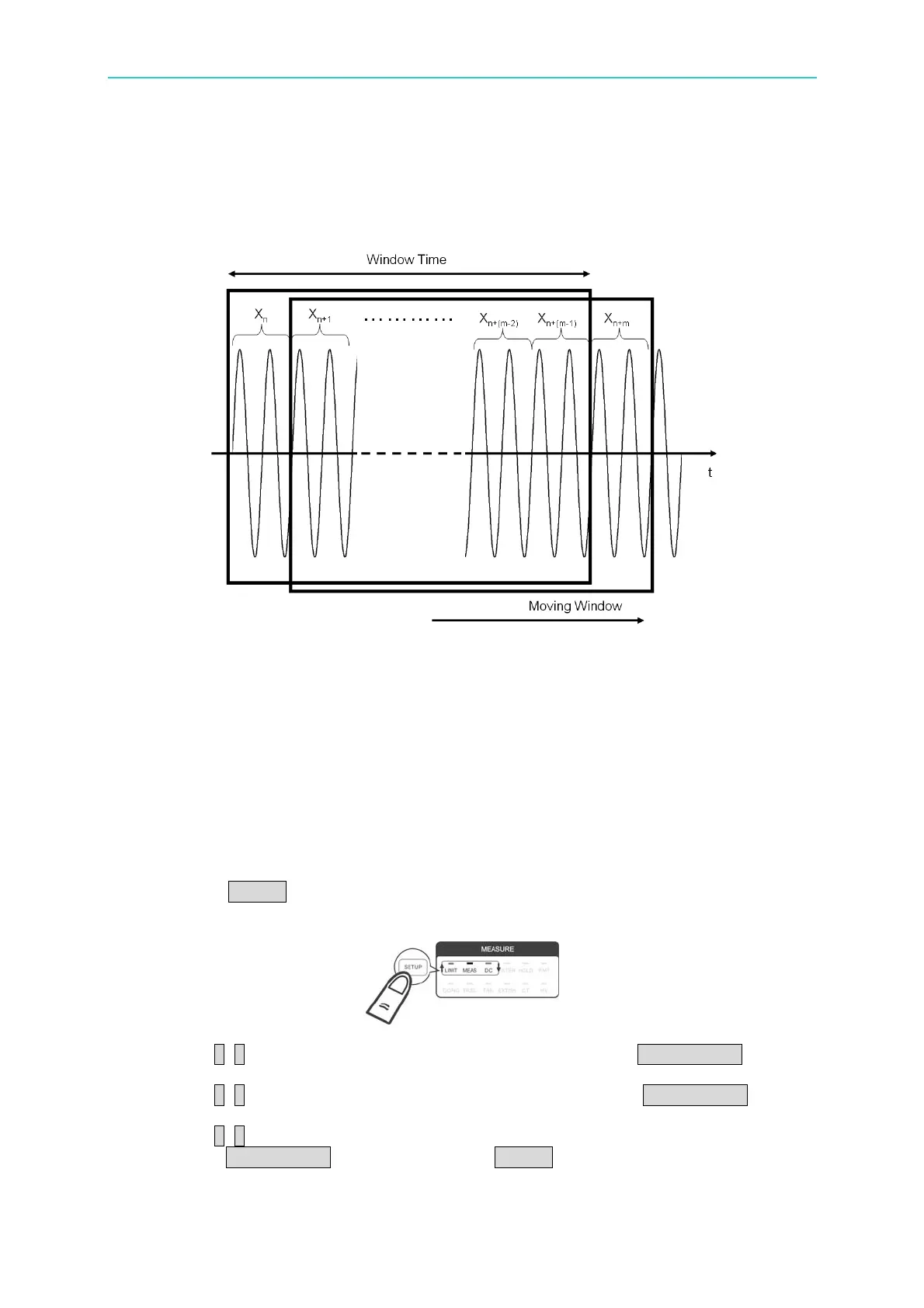
The Moving Window Method uses the time set to calculate the sampled data of voltage
and current signals during the timeframe with the window time length fixed for two cycles
of measured value update to calculate the new average. The window time range
available for the 66203/66204 Digital Power Meter is 0.1 sec. ~ 60 sec. with the
resolution set to 0.1 sec. The default is 4 seconds.
Figure 4-37 WINDOW Measurement Theory
Mn=(Xn+X(n+1)+…+X(n+(m-2)+X(n+(m-1)))/m
Xn: The n measured value
X(n+1): The 1
st
measured value after the n measured value
Xn+(m-2): The (m-2) measured value after the n measured value
Xn+(m-1): The (m-1) measured value after the n measured value
Xn+m: The m measured value after the n measured value
Mn: It displays the average measured value.
m: It is the measured number within the window time.
Following is the procedure to set the parameter:
1. Press SETUP to select Meas. The Meas indicator is on indicating it is in Meas
menu.
2. Use ↑, ↓ to select Meas. in the 1
st
display window and press TRIG/ENTER to
confirm it.
3. Use ↑, ↓ to select Windo in the 2
nd
display window and press TRIG/ENTER to
confirm it.
4. Use ↑, ↓ to select the window time length (second) in the 3
rd
display window and
press TRIG/ENTER to confirm it. Press SETUP to return to the main menu.



 To Next Page