9
Panel List
Panel List on the right is a concise listing of all control systems (or panels) within
the entire intelliTRACE network. This provides an efficient means to navigate to
any system (panel) on your network.
Additionally, network communication status is visually understood based on the
color of the system (panel) name in the list.
Grey: Panel is not communicating on the network.
Green: Panel is communicating on the network, no alarms.
Red: Panel is communicating on the network, alarms present.
PC Requirements
When downloading intelliTRACE to a desktop or laptop PC, the following are the suggested minimum computer
requirements:
• Windows 2000/XP/7/8, 32/64 Bit
• 500 MHz CPU
• 2GB RAM
• At least one unused 10-Base-T or 10/100-Base-T Ethernet port
• Color SVGA monitor (1024 x 768 minimum)
IntelliTRACE Supervisory Controller Installation
• Run the intelliTRACE program Setup Wizard.
• Read and accept the agreement
• Complete installation of the intelliTRACE program by following the prompts.
Terminology Note:
When a Base Panel is combined with an Extension Panel, this is often referred to as a “System”. There-
fore, throughout this manual, the terms “Panel” and “System” are typically interchangeable.
Planning Consideration:
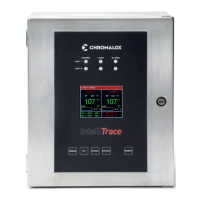
Local programming as well as circuit monitoring and management are accomplished by the intelli-
TRACE touchscreen computers. These HMI’s (Human Machine Interface) have a 72 circuit maximum
capacity. Therefore, if you have an area within your facility which exceeds 72 circuits, you will need to
split those circuits across multiple “panels” or “systems”.


 To Next Page
 Loading...