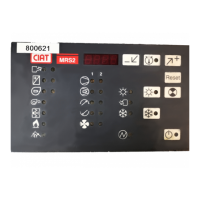
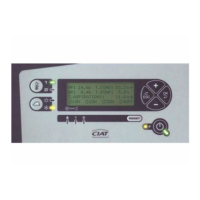
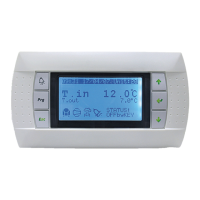
EN - 19
5 CONTENTS OF THE MENUS
The list of parameters as well as the parameter values will scroll faster and faster if you press and hold down the + or – the button.
To access a numbered submenu from the main menu, simply place the cursor on the corresponding line with the + or the – button then
press OK.
Important: In certain cases the last letter in a message may be replaced by an arrow.
5.1 Main menu
Use the cursor to move from one menu to the next.
Press the + button to increment values and the -button to decrement them.
5.2 Setpoint menu
This menu gives quick access to settings for the control setpoints depending on the control mode and the selected operating mode. To move
from one parameter to another, press + or–. The letter P flashes when a parameter is selected. To change the value, press OK. The value can
be changed once it starts flashing.
Press + to increase the value or – to decrease it.
When finished, press OK to confirm or ESC to cancel the changes.
When returning to menu 1 the last parameter consulted is displayed.
In access level 1, the setpoint adjustment range is + or – 5 K lower than that set in a higher access level.
5.3 Unit status menu
The unit status is displayed at power-up and automatically reappears if the console is not used after a period of one hour.
To enter the UNIT STATUS menu, use the + or - buttons to position the cursor on 2 then press OK.
Press – to display the following message.
Table 1
- If no general faults have occurred and the automatic operation controls are closed.
The ↓ arrow appears if there is another message.
- If a general fault corresponding to several faults occurs, the fault messages appear in order of importance.
Example:
1-SETPOINTS
2-UNIT STATUS
3-MEASURED VALUES
4-UNIT PARAMETERS
5-ADJUSTMENT PARAMETERS
6-READING PARAMETERS
7-FAULT MEMORY
8-TEST MODE
9-TIME SCHEDULES
11- COMMUNICATION
12- MASTER/SLAVE
13- AERO-CONNECT
14- ACCESS LEVEL SELECT.
P121 COOLING SETPOINT 1
-xx.x°
P122 COOLING SETPOINT 2
-xx.x°
P123 HEATING SETPOINT 1
-xx.x°
P124 HEATING SETPOINT 2
-xx.x°
XTRACONNECT2 hh/mn
INLET TEMP:-xx.x°
SETPOINT:-xx.x° ↓
1 :OFF 2 :ON 3 :
UNIT STOP
WATER FLOW FAULT



 To Next Page