EL DC Instalation and operation manual v13.docx
40 / 56
Commands
The button Set Point allows the user to introduce different set points:
Being in the Current mode the user can introduce the current set points.
In the Power mode the user can also introduce active and reactive set points.
Working in Impedance mode resistor set point, capacitor set point and inductor set
point could be introduced.
In the Voltage mode the user can introduce the DC setpoint voltage.
The power supply State Machine must be in either READY or RUN for the user to introduce these
set-points.
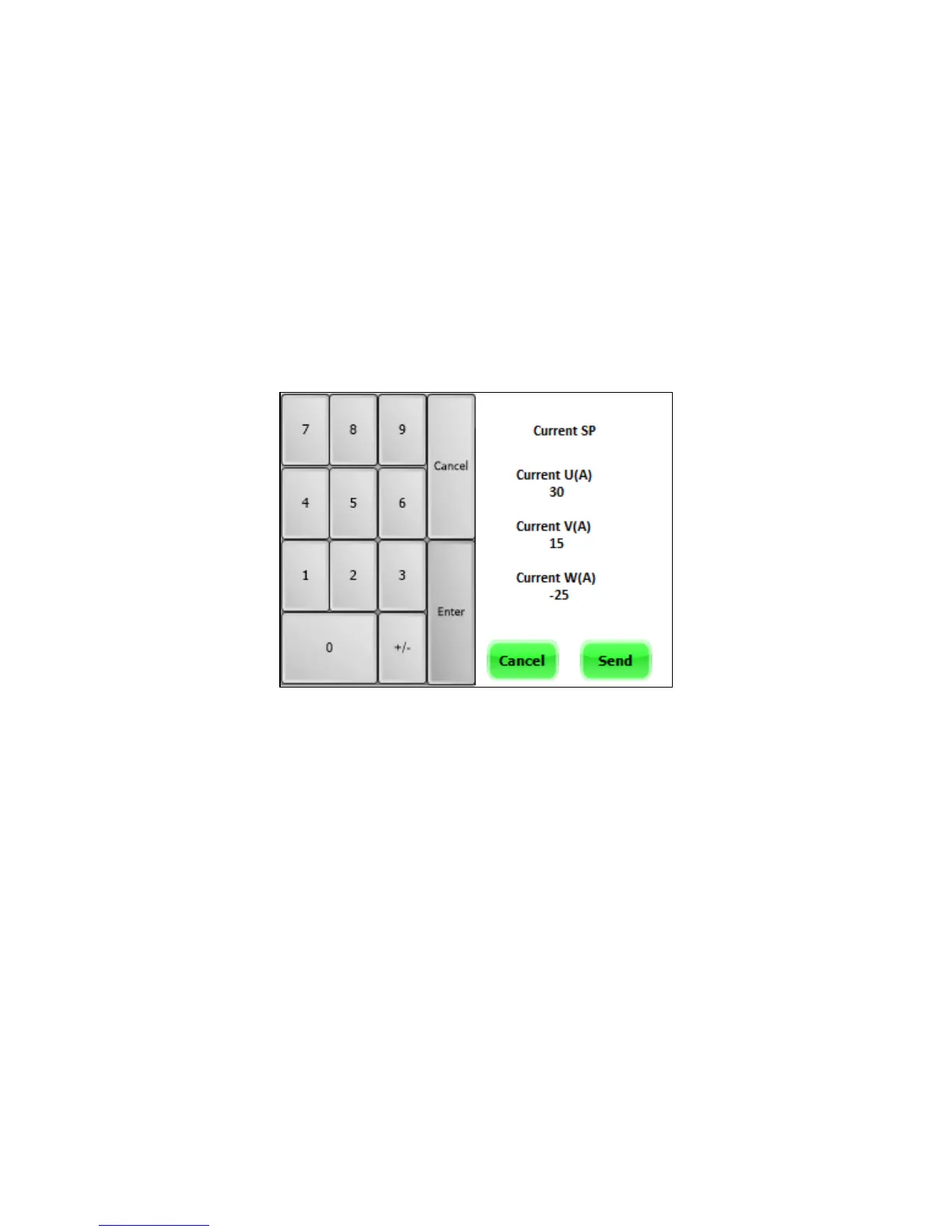
When the Set Point button is pressed, the following keyboard will appear.
The procedure to send a set point consists of the following steps:
1. Press Set Point button.
2. Introduce the first set point and press Enter.
3. Introduce the second set point and press Enter.
4. Introduce the third set point and press Enter.
5. Press SEND button.
If the user needs to erase the current set point being edited, the Cancel button (grey one) sets
it to zero. As it is shown in the next figure:


 To Next Page