DA-1000 User’s Manual
37
Chapter 3: System Setup
3.4 Installing a Full-Size Mini PCIe Card on Bottom Side,
including Half-Size Mini PCIe card
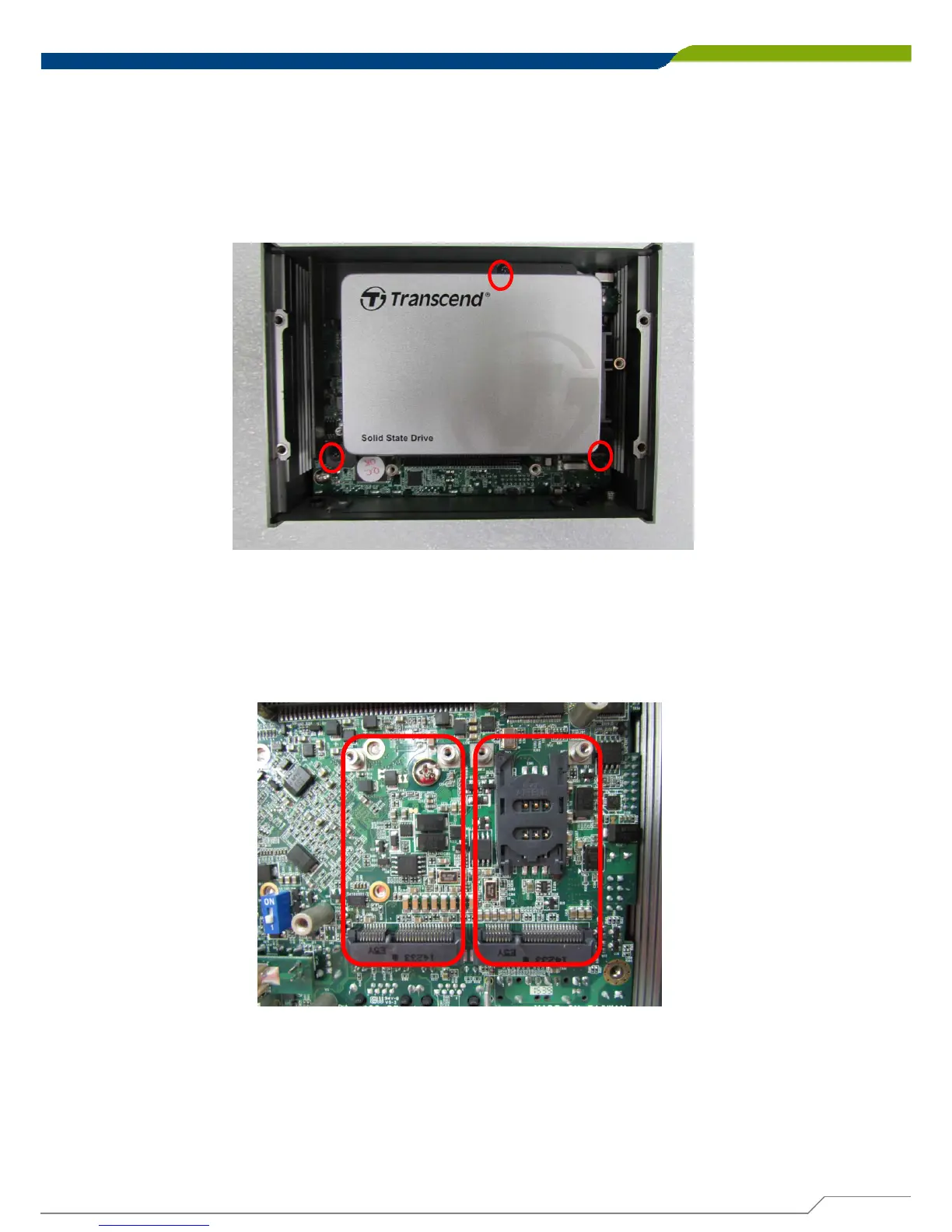
1. Turn over the body of unit. Unscrew the 3 screws on HDD bracket and remove the
bracket.
2. Locate the Mini PCIe slots. Please note that the left connector is shared
mSATA/Mini-PCIe interface, and right connector (with SIM socket underneath) is
Mini-PCIe interface.



 To Next Page