DA-1000 User’s Manual
39
Chapter 3: System Setup
3.5 Installing a SATA Hard Drive
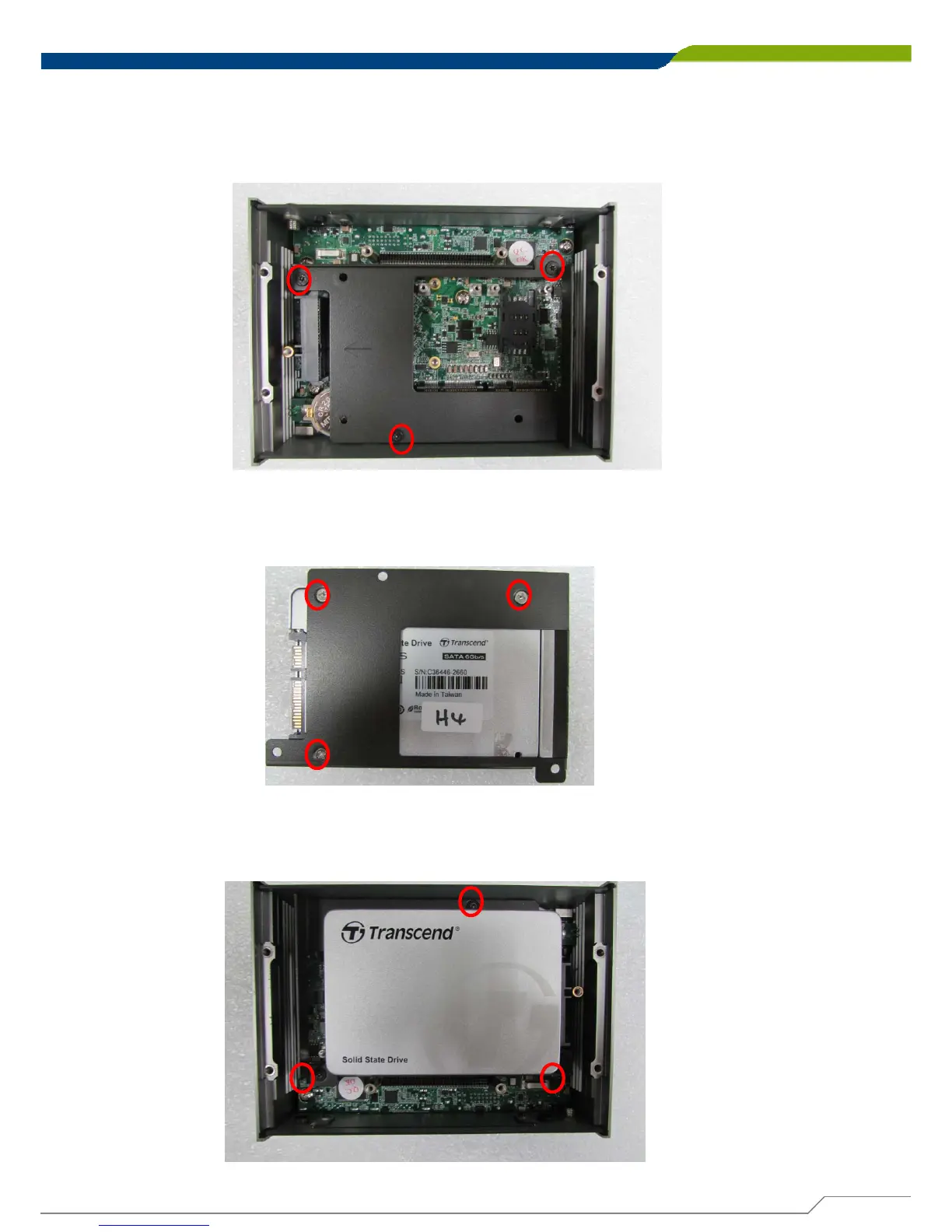
1. Lift up the empty HDD bracket by unscrewing the 3 screws.
2. Make the PCB side of the HDD face up, place the HDD bracket on it. Ensure the
direction of bracket is correct and use 3 provided screws to assemble HDD and
HDD bracket together.
3. Turn over the HDD bracket. Connect the HDD bracket to the SATA connector of the
unit and fasten the 3 screws.



 To Next Page