EasyManua.ls Logo

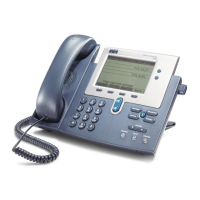
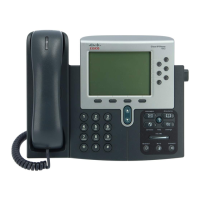
Cisco 7962G - User Manual

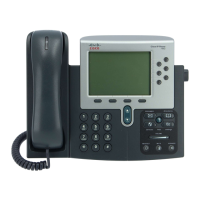
Cisco 7962G
110 pages
Print Icon
To Next Page IconTo Next Page
Loading...
Americas Headquarters
Cisco Systems, Inc.
170 West Tasman Drive
San Jose, CA 95134-1706
USA
http://www.cisco.com
Tel: 408 526-4000
800 553-NETS (6387)
Fax: 408 527-0883
Cisco Unified IP Phone User Guide
for Cisco
Unified Communications
Manager 8.6 (SCCP
and SIP)
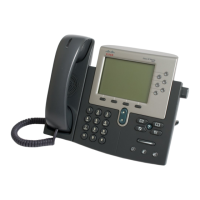
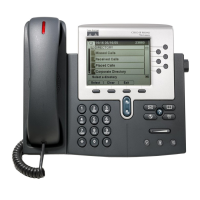
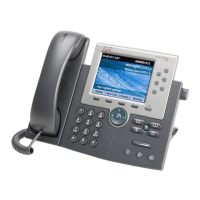
For Cisco Unified IP Phone 7962G, 7942G, 7961G, 7961G-GE, 7941G,
and 7941G-GE

Table of Contents

Other manuals for Cisco 7962G

Questions and Answers

  • M
    Mason BrownSep 10, 2025
    What to do if my Cisco 7962G IP Phone shows an error message when I attempt to set up Call Forward All?
    • G
      Grace WeeksSep 10, 2025
      Your Cisco IP Phone might reject the attempt to set up Call Forward All if the target number would create a loop or exceed the maximum number of links permitted. Ask your system administrator for details.
  • C
    Corey GonzalezSep 12, 2025
    Why does Barge fail and results in a fast busy tone on my Cisco IP Phone?
    • J
      John SalasSep 12, 2025
      Barge will fail on your Cisco IP Phone and result in a fast busy tone if you attempt to barge an encrypted call and your phone is not configured for encryption.
  • P
    Patricia McclureSep 14, 2025
    What does “Security Error” mean on my Cisco 7962G?
    • B
      Brady KnightSep 14, 2025
      If your Cisco IP Phone displays a “Security Error,” it means your phone firmware has identified an internal error. Plug in the power adapter to wake up the phone. If the message persists, contact your system administrator.
  • K
    Kimberly BrownSep 16, 2025
    Why the screen appears blank and the Display button is lit on Cisco IP Phone?
    • S
      Sherry HahnSep 16, 2025
      If the screen on your Cisco IP Phone is blank but the Display button is lit, the phone is likely powered down to save energy. The phone will wake up when the system sends a wake-up message. To wake up the phone, plug in the power adapter.

Summary

Getting Started

Safety and Performance Information

Understand the impact of power outages and other devices on your Cisco Unified IP Phone's operation.

Cisco Product Security Overview

Information on cryptographic features and compliance with US and local country laws.

Connecting Your Phone

Basic Call Handling

Placing a Call-Basic Options

Guides on how to place calls using the handset, speakerphone, or headset.

Answering a Call

Instructions on how to answer incoming calls using various phone audio devices.

Advanced Call Handling

Speed Dialing

Methods for configuring and using speed-dial features for quick calling.

Making and Receiving Secure Calls

Details on how to make and receive authenticated, encrypted, or protected calls.

Using a Handset, Headset, and Speakerphone

Using a Handset

Instructions for using the phone's primary handset for calls.

Changing Phone Settings

Accessing Voice Messages

Using the User Options Web Pages

Accessing Your User Options Web Pages

Steps to log in to and navigate the Cisco Unified CM User Options web pages.

Troubleshooting Your Phone

General Troubleshooting

Information to help troubleshoot common phone problems and issues.

Cisco 7962G Specifications

General IconGeneral
MountingDesk/Wall
Handset typeWired handset
Product typeIP Phone
Case materialABS
Product colorBlack, Grey
Wall mountableYes
BluetoothNo
Security algorithms128-bit AES, 802.1x RADIUS
Networking standardsIEEE 802.1Q, IEEE 802.1p, IEEE 802.1x, IEEE 802.3af
Ethernet LAN data rates10, 100 Mbit/s
Ethernet LAN interface typeFast Ethernet
Ethernet LAN (RJ-45) ports2
Voice codecsG.711, G.711a, G.722, G.729A, G.729ab, iLBC
Volume controlDigital
Display diagonal5 \
Display resolution320 x 222 pixels
Display number of colorsMonochrome
Caller ID-
Lines quantity- lines
Phonebook capacity- entries
Storage temperature (T-T)-10 - 60 °C
Operating temperature (T-T)0 - 40 °C
Operating relative humidity (H-H)10 - 95 %
Number of handles included1 pc(s)
Weight and Dimensions IconWeight and Dimensions
Depth203.2 mm
Width266.7 mm
Height152.4 mm
Weight1600 g

Related product manuals