Modules
7 - 86 Intel® Rapid Start Technology Driver
7
Intel® Rapid Start Technology Configuration
1. Enable/disable Intel(R) Rapid Start Technology from the BIOS (see “Intel(R)
Rapid Start Technology (Advanced Menu)” on page 5 - 9).
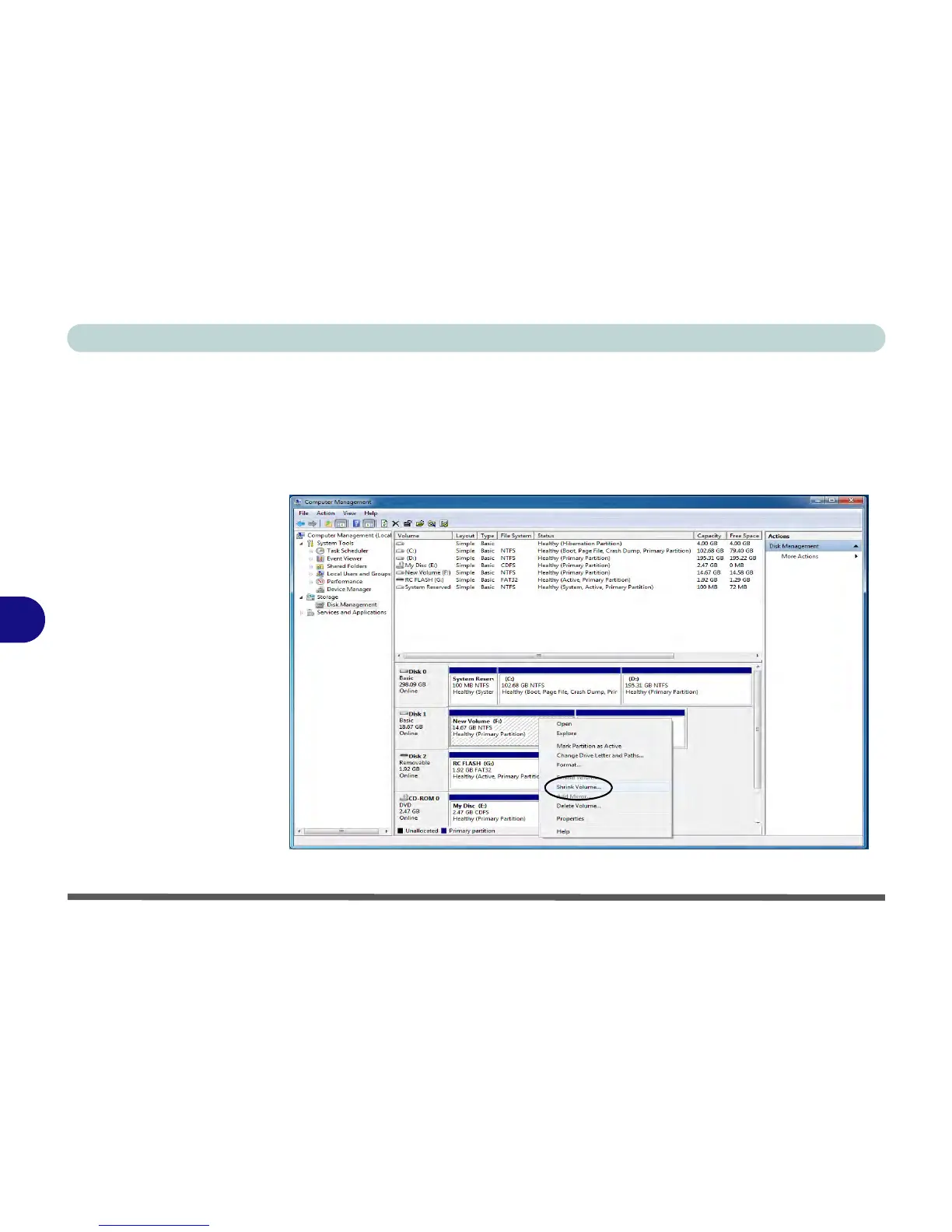
2. Go the Windows control panel and double-click Administrative Tools (System
and Security)> Computer Management > Storage > Disk Management
3. Right-click the SSD and select Shrink Volume from the menu.



 To Next Page