Control Center
Control Center B - 1
B
Appendix B: Control Center
Overview
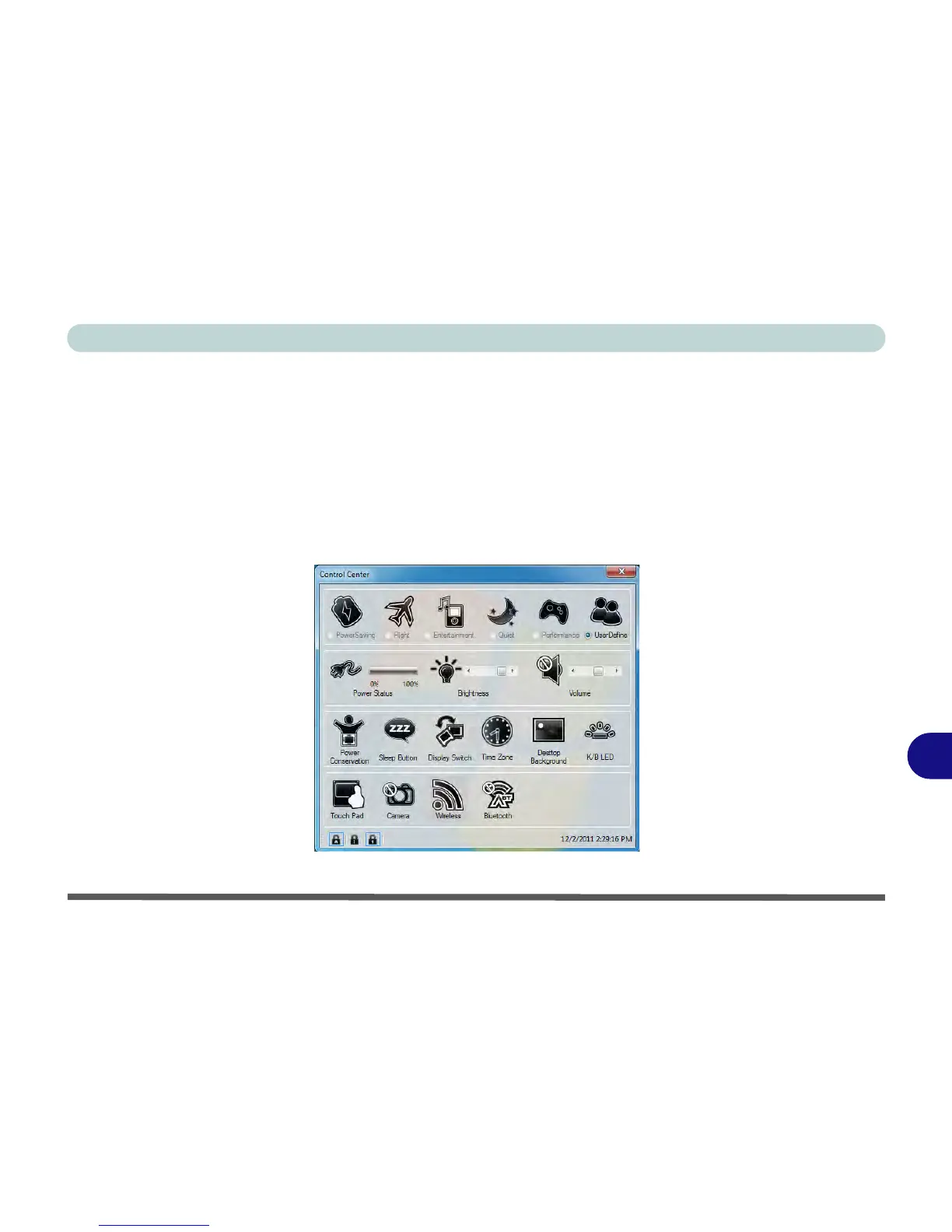
The following chapter will give a quick description of the functions of the Control Center. The Control Center
gives quick access to frequently used controls, power management features and enables you to quickly turn mod-
ules on/off. Click the Control Center icons to toggle the appropriate function, or hold the mouse button down
and move the slider where applicable. Certain functions will automatically be adjusted when a power mode is
selected.
Figure B - 1 - Control Center



 To Next Page