Mach4 Configuration
The user can obtain the pre configuration profile from the CNCRoom product page.
However, there are some values that need to be set to suit the user’s individual system.
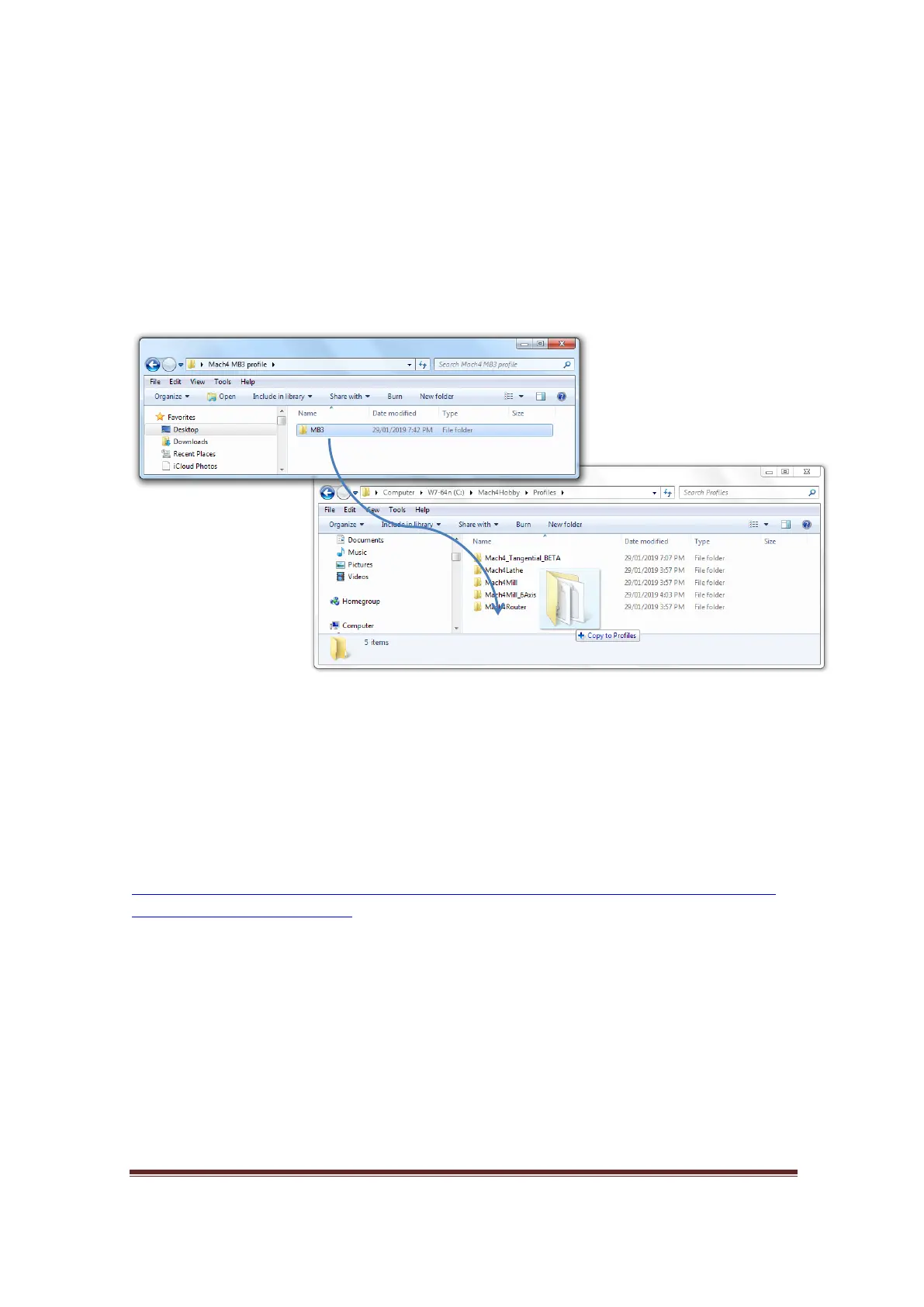
After downloading and extracting the pre configuration profile. You will find a folder
named MB3, copy and paste this folder into C:\Mach4Hobby\Profiles as shown in
picture below. Run the “Mach4 loader”, then choose the MB3 profile.
Figure 48, Copy n Paste, or drag n drop the Mach4 pre- configuration file
Setting up the SmoothStepper and Mach4 Software
Please check up to date instruction of Setting up the SmoothStepper and Mach4 Software at
Warp9 Tech web page.
https://www.warp9td.com/index.php/gettingstarted/setting-up-the-smoothstepper-
and-mach4#SetupInstruction
www.CNCRoom.com Page 35


 To Next Page