OPERATING MANUAL
800.749.2761 www.coachcomm.com
14
6. Set Home/Away status.
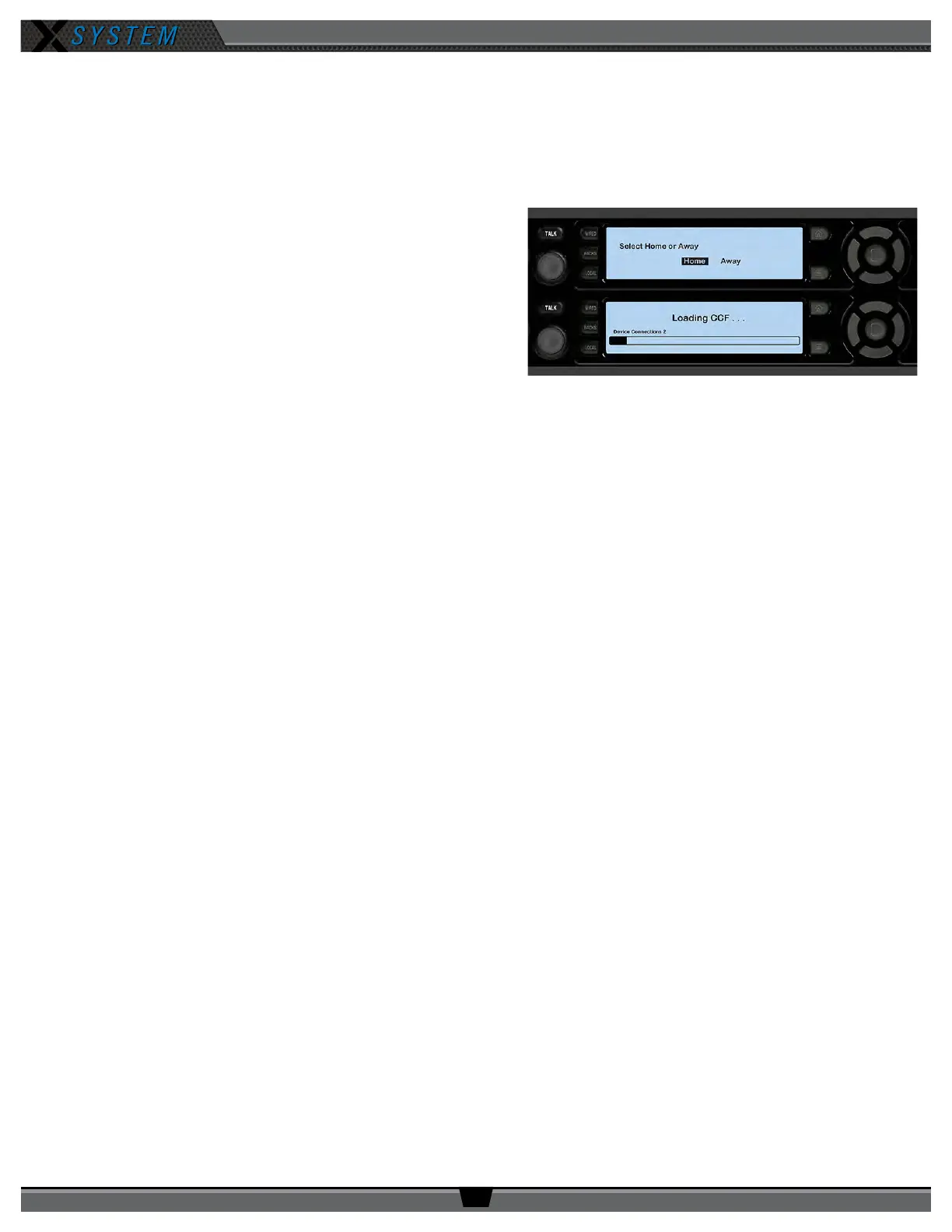
6a. Follow the prompt on your top (master) CU to set your system’s Home/Away status.
Important: No RF transmission will occur until the Home/Away status is selected. Failure to set this status
properly may result in RF interference.
The Home/Away setting aids customers with hopping pattern
coordination between RTs and Radio Packs. Based on this
setting, all of the RTs on the system will be assigned specic
hopping patterns by the Control Unit (CU). It is very important
to set this status correctly. Hopping pattern coordination
prevents interference between X-Systems.
During startup, the conguration le (CCF) will begin loading
while the Home/Away prompt is displayed on the top CU. A
progress bar shows the load process on the bottom CU. Once
the Home/Away prompt is cleared, the CCF load progress can
be seen on both CUs.
6b. Wait until the CUs display the “CCF Loaded” message along with a conguration le summary. (The bottom CU will
take about 30 seconds longer than the top.) When the CCF load is complete, the home screen will display on the
front of the CU(s) and you can proceed.
6c. Open X-Ware and allow its Home screen to load.
7. Set up press box unit and null system.
Note: The procedures in this step should be performed by at least two people.
7a. Once the Sideline Cart is congured, set up and connect power to the Press Box Unit. Have someone stay with
the Sideline Cart to assist in the verication of dry pairs during this step.
7b. Connect dry pair panel in the Press Box to the corresponding ports on the rear of the WIM in the Press Box
Unit.
7c. Connect wired BeltPacks and cables for each coach. Make sure all TALK buttons are off.
7d. Auto-null all of the lines from the sideline using X-Ware’s Conference view (under the System Settings menu). If
there is noticeable echo on some channels of the wireless components, conrm that all TALK buttons are off and
repeat the auto-null step.
Figure 14: CU Home/Away Prompt at Startup



 To Next Page