Settings
98-175666-A Chapter 4: Setup of the antenna 4-24
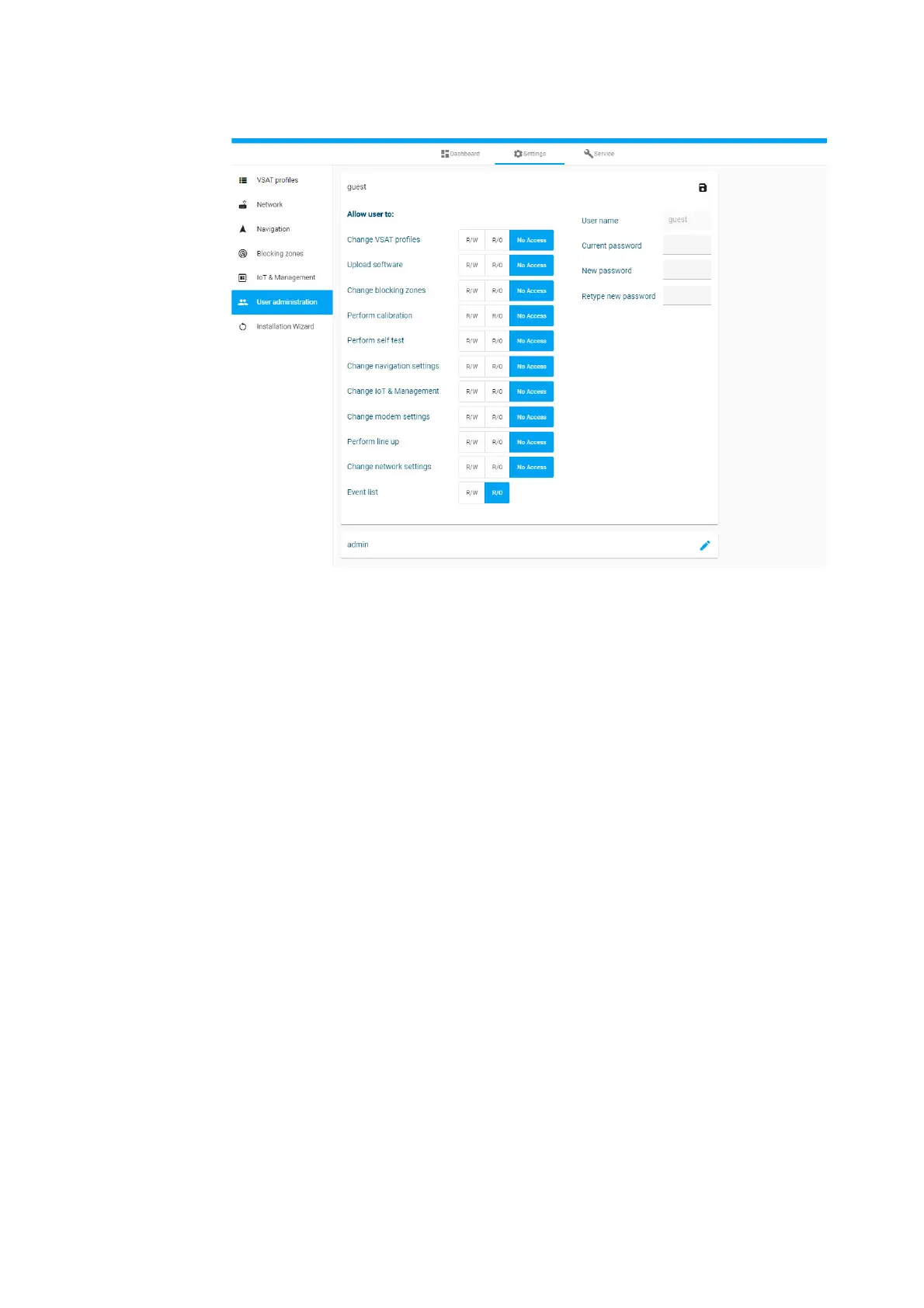
To set up the user permissions, do as follows:
1. From the left navigation pane, select Settings > User administration.
2. Click the pen icon for guest
3. For each item under Allow user to: select
• R/W to allow access
• R/O to block access to the settings. Then the pages are read-only.
• No Access, then the page is not available.
4. Click the icon for saving.
Figure 4-21: Permissions for guest users









 To Next Page