Chapter 4: Configuration
98-143082-D Terminal settings 55
• Cellular modem only: The EXPLORER 510 only uses the cellular network, not BGAN. If
an EXPLORER Cellular Modem is not connected, or if the cellular network does not work
for some reason, you cannot access any network.
• User selection: Every time the EXPLORER 510 starts up you must select which network
you want to use. You cannot access any network until you have made the selection.
Internet and LAN connection modes
In the web interface you can set up the Internet connection mode and the IP addressing
between the EXPLORER 510 and devices connected to the EXPLORER 510. The EXPLORER 510
has a built-in DHCP server which can be used to dynamically assign IP addresses to devices
connected to the EXPLORER 510.
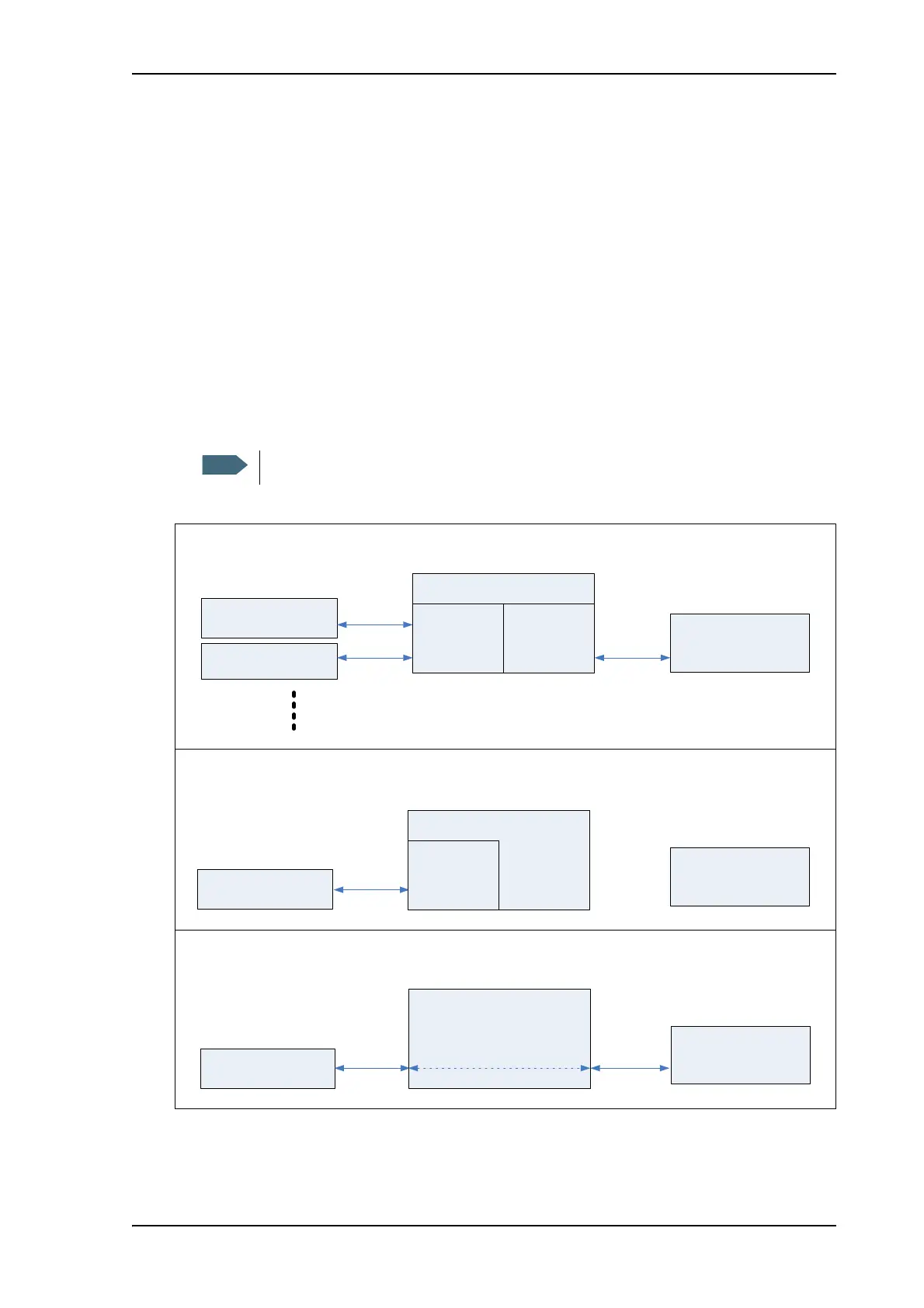
The drawing below shows examples of the IP addressing in router mode (default setup) and
modem mode.
Modem mode is not supported for connections to cellular network.
5RXWHUPRGH
'HIDXOWVHWXSH[DPSOH
7HUPLQDO
'HYLFH
'HYLFH
Q
DVVLJQHGE\WKH
WHUPLQDOYLD'+&3
P
DVVLJQHGE\WKH
WHUPLQDOYLD'+&3
%*$1QHWZRUN
'+&3VHUYHU
DVVLJQHGE\WKH%*$1
QHWZRUNYLD'+&3
0RGHPPRGHZLWKDFWLYHFRQQHFWLRQWRWKH%*$1QHWZRUN
([DPSOH
'HYLFH
7HUPLQDO
DVVLJQHGE\WKH%*$1
QHWZRUNYLD'+&3
Q
1$7'+&3
%*$1QHWZRUN
'+&3VHUYHU
Q
0RGHPPRGHQRFRQQHFWLRQWRWKH%*$1QHWZRUN
([DPSOH
7HUPLQDO
%*$1QHWZRUN
'+&3VHUYHU
Q
'HYLFH
/RFDO,3DGGUHVV
'+&3
Q
DVVLJQHGE\WKH
WHUPLQDOYLD'+&3
/RFDO,3DGGUHVV



 To Next Page